Compress Images Online — Free Image Compressor
Reduce large image files quickly with our compress image size tool. It helps make pictures smaller for faster uploads, easier sharing, and better website performance. Use compress image online free to optimize your images without complicated software or lengthy editing steps.
Want to thank us? Tell your friends about LeanImg!
How to Compress Images
Select your images
Choose files or drag and drop them into the compressor.
Compress
Pick a format and quality level, then click the compress button.
Download
Download the optimized images individually or as a ZIP.
Can you tell the difference?
Move the slider to compare the compressed image with the original. The file size is reduced by more than 80% — with no visible quality loss.
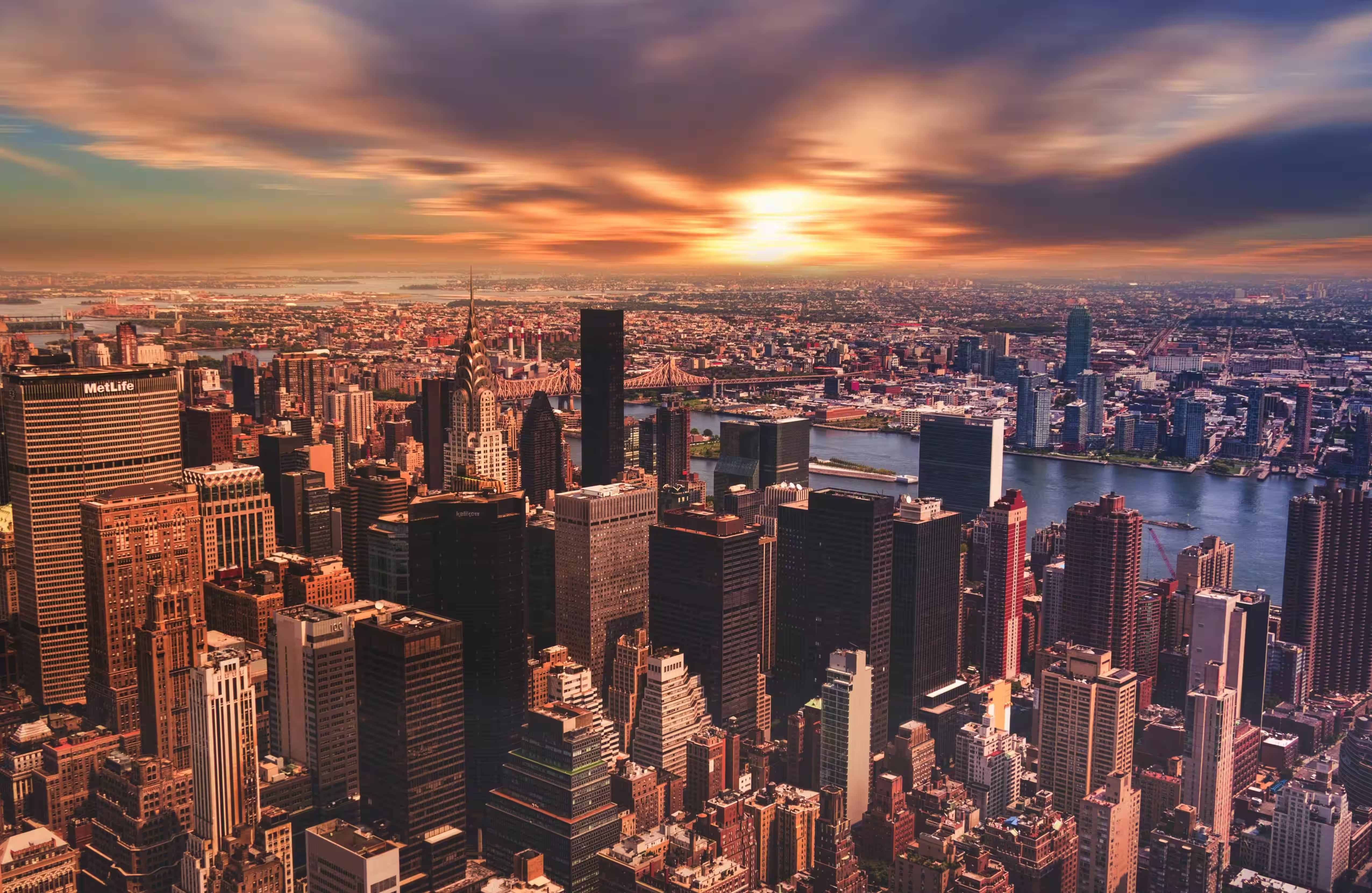
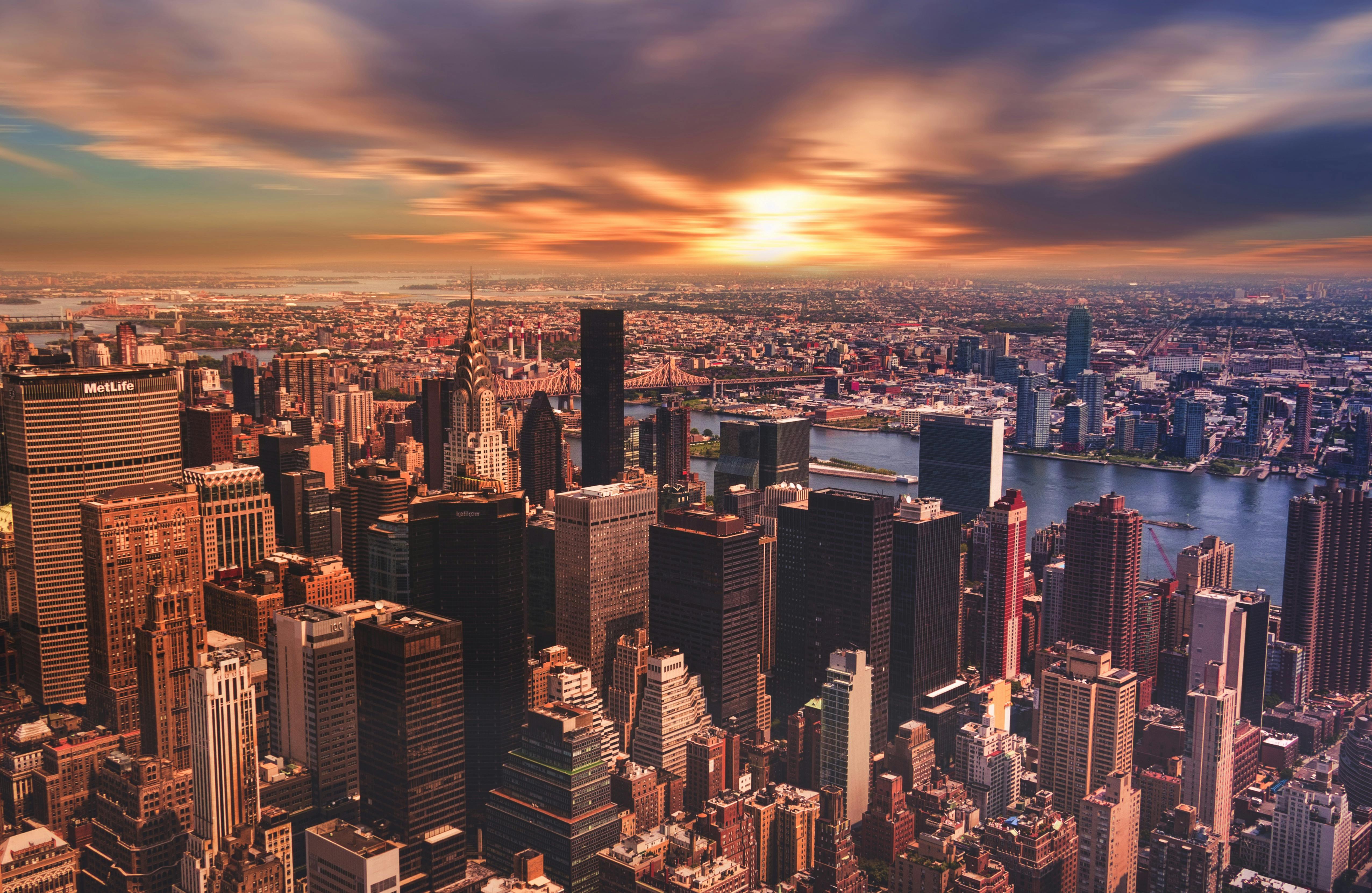 Original — 1.7 MBCompressed (AVIF) — 328 KB
Image Formats Explained
Not sure which format to pick? Here is a quick guide to help you choose the right one. You can also convert between formats with our free tools.
JPEG
Best for: Photos & complex images
JPEG is the most widely used image format on the web. It uses lossy compression to dramatically reduce file sizes while keeping photos looking sharp. Best for photographs, social media images, and any image with smooth gradients or many colors.
PNG
Best for: Graphics, logos & screenshots
PNG preserves every pixel of your image with lossless compression — what you see is exactly what you get. It supports transparency, making it the go-to format for logos, icons, UI elements, and screenshots where crisp edges matter.
WebP
Best for: Web performance
WebP delivers both lossy and lossless compression with files up to 30% smaller than JPEG at the same visual quality. It supports transparency and is now accepted by all modern browsers, making it the smart default for fast-loading websites.
AVIF
Best for: Maximum compression
AVIF is the newest image format and offers the best compression efficiency available today. It can reduce file sizes by up to 50% compared to JPEG while maintaining excellent quality. Ideal when every kilobyte counts — think mobile-first sites and image-heavy pages.
How the quality slider works
Smart mode picks a quality per output format and gets out of the way: 80 for JPEG and WebP, 63 for AVIF, and fully lossless for PNG unless you choose the quantized route. That covers most photographs. Manual mode hands you the slider, and the number behaves differently from the one in most desktop editors.
For a JPEG source the slider is relative. The compressor parses the quantization tables in your file, estimates the quality it was saved at, and multiplies your setting against that estimate. A source at 60 with the slider on 80 encodes at 48. That is why running a photo through twice doesn't degrade it the way a fixed-quality encoder would, and why the same slider position produces different results for a camera original and a file that has already been through a CMS.
What the numbers look like on a real photo
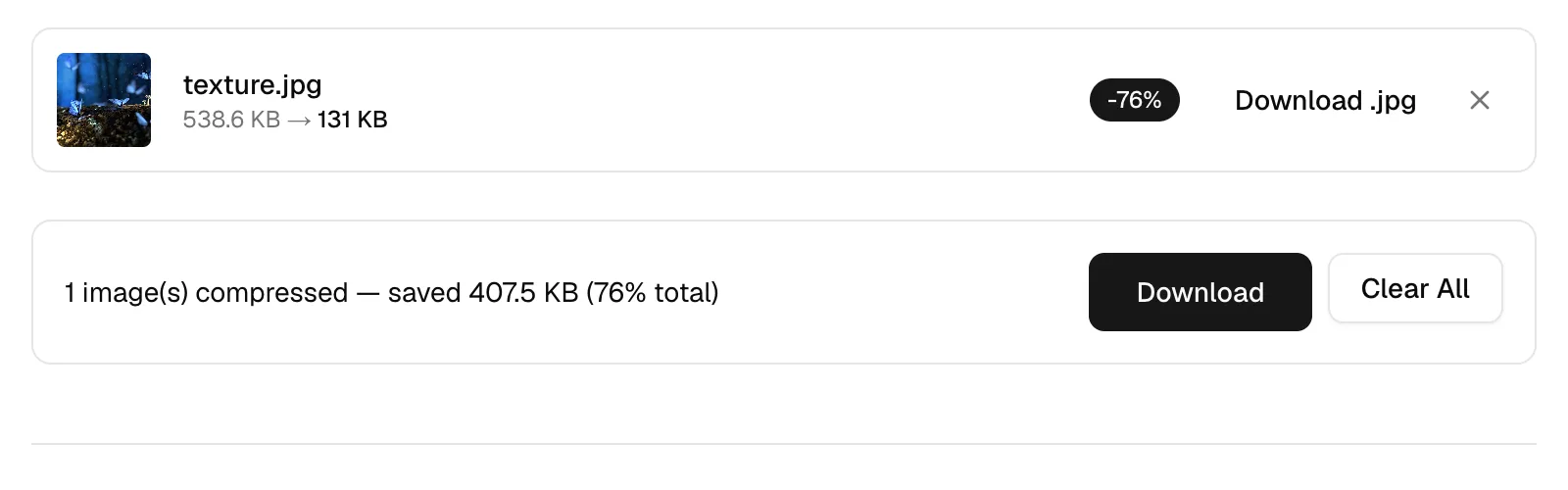
Three runs of the same file through the live tool. The fixture is a 3840x2160 photograph, 538.6 KB as a JPEG, compressed with the output format left on Keep original.
| Slider | Output size | Saving |
|---|---|---|
| 90 | 347.8 KB | 35% smaller |
| 60 | 212.4 KB | 61% smaller |
| 30 | 131 KB | 76% smaller |
Which number to pick
Start at 80 and look at the result. For photographs on a web page, anything between 70 and 85 is usually indistinguishable from the original at normal viewing size, and below 50 you'll start seeing blocking in flat areas like skies. Screenshots and diagrams are the exception: they hold hard edges and flat color, which is what lossy compression handles worst, so keep those lossless or convert them to PNG.
Compression guides by format and use case
Why LeanImg?
Images are the heaviest assets on most web pages, often accounting for over half of total page weight. If you need to compress images for a website, unoptimized files slow down page loads, hurt Core Web Vitals scores, and directly impact search engine rankings — Google uses page speed as a ranking signal for both desktop and mobile results. Beyond SEO, large images eat into bandwidth caps, increase hosting costs, and frustrate users on slower connections. Need to reduce image size for email? Providers like Gmail cap attachments at 25 MB, making compression essential. Social media platforms re-compress uploads anyway, so starting with a well-optimized image gives you more control over the final quality. LeanImg lets you compress images without uploading — everything runs locally in your browser, so your files never leave your device. Explore all of our free image tools to optimize your workflow.
Optimal Quality
Smart compression reduces file size without sacrificing quality. The difference is nearly invisible.
Faster Websites
Smaller images mean faster page loads, better SEO rankings, and lower bandwidth costs.
No Software to Install
Compress images online in seconds. No downloads, no sign-ups — just drag, drop, and go.
Frequently Asked Questions
Why should I compress image size?
You can compress image size to reduce file storage requirements, speed up uploads, and improve website loading performance.
How can I compress image online free?
You can compress image online free using a browser-based tool that reduces image file size without requiring additional software.
Why should I compress my images?
Optimizing your images reduces file sizes by up to 80% without sacrificing quality, leading to faster page loads. This is essential for keeping user attention and ensuring a great user experience. Smaller images also minimize bandwidth usage and improve your website's search engine ranking.
What does LeanImg do?
LeanImg uses smart lossy and lossless compression to reduce the file size of your JPG, PNG, WebP, and AVIF images. By selectively optimizing image data, fewer bytes are required to store the image. The effect is nearly invisible but makes a very large difference in file size.
What file formats does LeanImg support?
LeanImg supports JPG, PNG, WebP, AVIF, and GIF for compression. You can also convert between these formats. All processing happens in your browser — images are never uploaded to a server. JPG and WebP are ideal for photos, PNG for graphics with transparency, and AVIF for next-gen compression efficiency.
How much can I compress my images?
Typical compression reduces file size by 40–80%, depending on the image content and format. Photos with smooth gradients compress very efficiently. You can adjust the quality slider to compress an image to a specific size — for example, under 100 KB for web use — and find the perfect balance between file size and visual quality.
Can I compress images without losing quality?
Yes. Select the lossless PNG output format for pixel-perfect compression with zero quality loss. Lossless compression typically reduces file size by 10–40%. For even smaller files, lossy formats like JPG or WebP at quality 75–85 produce results that are virtually indistinguishable from the original.
Can I compress multiple images at once?
Yes. LeanImg works as a bulk image compressor — select up to 10 images at a time and compress them all in one go. Once compressed, download them individually or all at once as a ZIP file. Batch compression runs entirely in your browser with no upload required.
What does the quality slider actually do?
Less than you would guess, and that's deliberate. For a JPEG the number is not an absolute target. The compressor reads the quantization tables out of your file, estimates the quality it was already saved at, then applies your setting as a percentage of that. A photo saved at 60 with the slider on 80 comes out at 48, so re-compressing an already-compressed file doesn't quietly re-inflate it. For PNG and WebP input there's nothing to read back, so the number is used as-is.
Is it really unlimited and free?
Yes, and the reason is structural. Compression runs on your own device using WebAssembly, so processing your hundredth image costs us exactly what your first one did, which is nothing. There are no credits to buy, no watermark, no resolution cap and no account. The only limits are practical ones your browser imposes: 10 files and 50 MB in a single batch.
Does compressing strip EXIF and GPS data?
Yes, all of it. Your image is decoded to raw pixels and re-encoded from those, so EXIF, GPS coordinates, the camera and lens fields, any embedded color profile and the thumbnail are all gone from the output. Orientation is the exception, because the rotation is applied to the pixels before we see them. If you need the metadata kept, compress a copy and archive the original.
Why did my PNG get bigger instead of smaller?
Usually because it was already optimized. PNG is lossless, so there's a floor below which the file cannot go without discarding color, and a PNG exported by a tool that already ran an optimizer is close to that floor. Our default route for PNG input is a palette quantizer, which does discard color to get the size down. If you picked the lossless PNG option in the dropdown instead, all that runs is oxipng at optimization level 3, and on an already-tight file it has almost nothing left to find.
Why is WebP usually smaller than JPEG?
Better prediction, mostly. WebP's lossy mode is the VP8 keyframe coder, which predicts each block from its neighbors before transforming the difference, so there's less left to store. Google measures around 30% off JPEG at matching quality and that holds up on photographs. It doesn't hold up on everything: WebP stores color at quarter resolution with no option to turn that off, so saturated reds and colored text on a contrasting background can look worse than the JPEG did.
Can I compress an image to a specific file size, like 100 KB?
Not directly, though you can get there in one or two passes. Switch to Manual, watch the size on the result row, and move the slider down until you land under your target. As a starting point, one 538.6 KB photo came out at 347.8 KB on quality 90, 212.4 KB on 60 and 131 KB on 30. If you're still over budget after that, resize the image first: halving the dimensions removes three quarters of the pixels and does more for the file size than any quality setting.
Does compressing the same image twice make it smaller?
Barely, and it costs you quality. JPEG quantizes on a fixed 8x8 grid, so re-saving an untouched image at the same setting mostly converges and stops degrading. Crop it by an amount that isn't a multiple of 8 first, though, and the grid shifts, which forces genuinely new loss on every pass. Compress once, from the best original you have.
Should I use AVIF instead of JPG?
For a website you control, yes. AVIF gives the best compression available today, better than 50% off JPEG at comparable quality by Google's measurement, and it carries an alpha channel that JPEG has no way to store. Two costs. Encoding runs the AV1 coder in your browser, so it is the slowest output here by a wide margin, and anything that has to open in older software still wants a JPEG.
Have more questions? Learn more about LeanImg and how we process your images.
Need to resize first? Resize your images to exact dimensions before compressing. Or convert between formats like JPG, PNG, WebP, AVIF, and more. Want to trim your images? Crop your images before compressing. Need a favicon? Generate icons from your image. Need a transparent cutout? Remove backgrounds with AI.