AI Image Upscaler — Upscale Images to 4K, Free
Improve image quality with our best ai image upscaler. Enhance smaller or low-resolution pictures by increasing their size while preserving important details. With Upscale Images to 4K, you can prepare images for displays, designs, printing, and other high-resolution uses.
Want to thank us? Tell your friends about LeanImg!
How to Upscale Images
Upload your image
Choose a file or drag and drop it into the upscaler.
Select scale
Choose 2x or 4x upscaling and click the button to start AI enhancement.
Download
Download the upscaled high-resolution PNG image.
Why LeanImg?
Low-resolution images are a common problem — old photos, screenshots, thumbnails, and web images often lack the detail needed for printing, presentations, or social media. Most upscaling tools either charge per image, add watermarks, or produce blurry results with simple interpolation. LeanImg is different — our upscaler is powered by Real-ESRGAN, a state-of-the-art neural network that adds genuine detail and sharpness, running entirely in your browser so your images never leave your device. It is completely free, requires no sign-up, and produces high-quality results with no watermarks. Explore all of our free image tools to optimize your workflow.
AI-Powered Enhancement
Powered by Real-ESRGAN, a leading neural network for image super-resolution. Adds real detail, not just larger pixels — 100% on your device.
Free, No Limits
No per-image fees, no watermarks, no sign-up. High-resolution output, unlimited usage — completely free.
No Software to Install
Upscale images online in seconds. No downloads, no sign-ups — just drag, drop, and go.
AI Upscaling vs. Traditional Resizing
Enlarging an image and improving it are two different jobs. Traditional resizing — bicubic or Lanczos interpolation, what Photoshop's Image Size dialog or any basic photo scaler does — stretches the pixels you already have: every new pixel is an average of its neighbours, which is why enlarged photos look soft and blocky. AI upscaling predicts the detail that should be there: a neural network trained on millions of image pairs reconstructs edges, textures, and fine patterns while it enlarges, so hair stays crisp, text stays legible, and surfaces keep their grain.
| Traditional resizing | AI upscaling | |
|---|---|---|
| How it works | Averages existing pixels (interpolation) | Reconstructs detail with a trained neural network |
| Edges and text | Soften and blur as size grows | Rebuilt sharp — no halos, no staircase edges |
| Photo texture | Smears into a watercolor look at 4x | Preserved and re-detailed |
| Noise and JPEG artifacts | Enlarged along with the image | Cleaned up during upscaling |
| Best for | Tiny adjustments under 1.5x | Real enlargements — 2x and 4x |
2x or 4x — Which Should You Choose?
Choose 2x when the image is already decent and you need it bigger for screens: an 800×600 web photo becomes 1600×1200 — sharp on any display — and a 1080p frame becomes exactly 4K UHD (3840×2160). Choose 4x for print, heavy cropping, or rescuing small originals: the same 800×600 photo becomes 3200×2400, enough for a 10×8 inch print at 300 DPI. 4x generates sixteen times the pixels, so it takes longer — the progress bar shows exactly where the job is.
How LeanImg Upscales in High Quality
LeanImg runs Real-ESRGAN — the same open-source super-resolution model behind many paid upscaling apps — directly on your device, using your graphics card when available. Large images are processed in overlapping tiles and reassembled seamlessly, which is how the tool produces genuinely large results: a 24-megapixel photo can become a print-grade PNG hundreds of megapixels in size. There are no watermarks, no resolution tiers behind a paywall, and no credit counters — the only limits are what your device can compute, and the tool tells you when an image exceeds them.
2x and 4x on the same file
Both runs below started from the same 400x269 PNG, 177.1 KB. Drag the divider in the tool to compare; these are the results it produced.
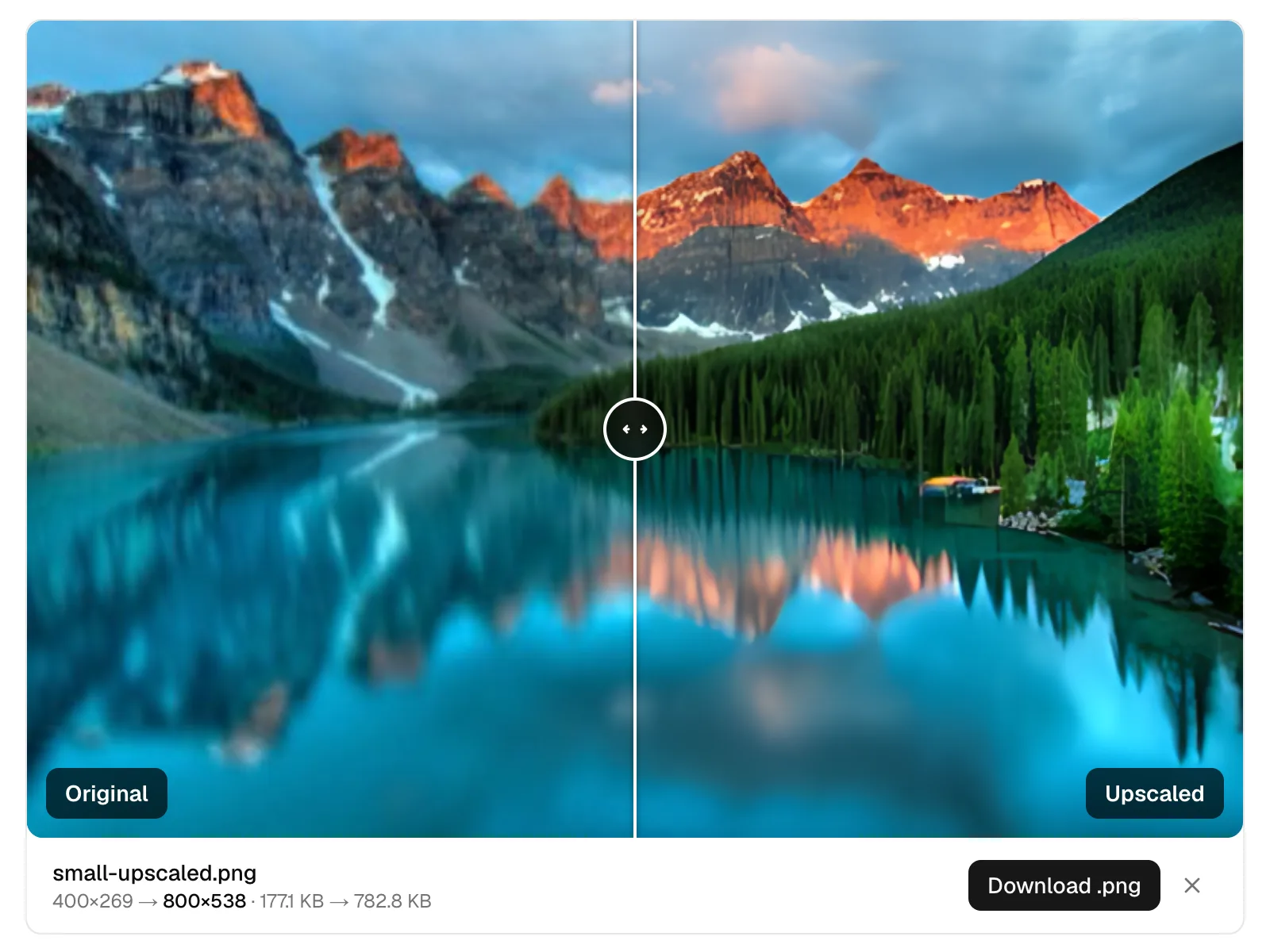
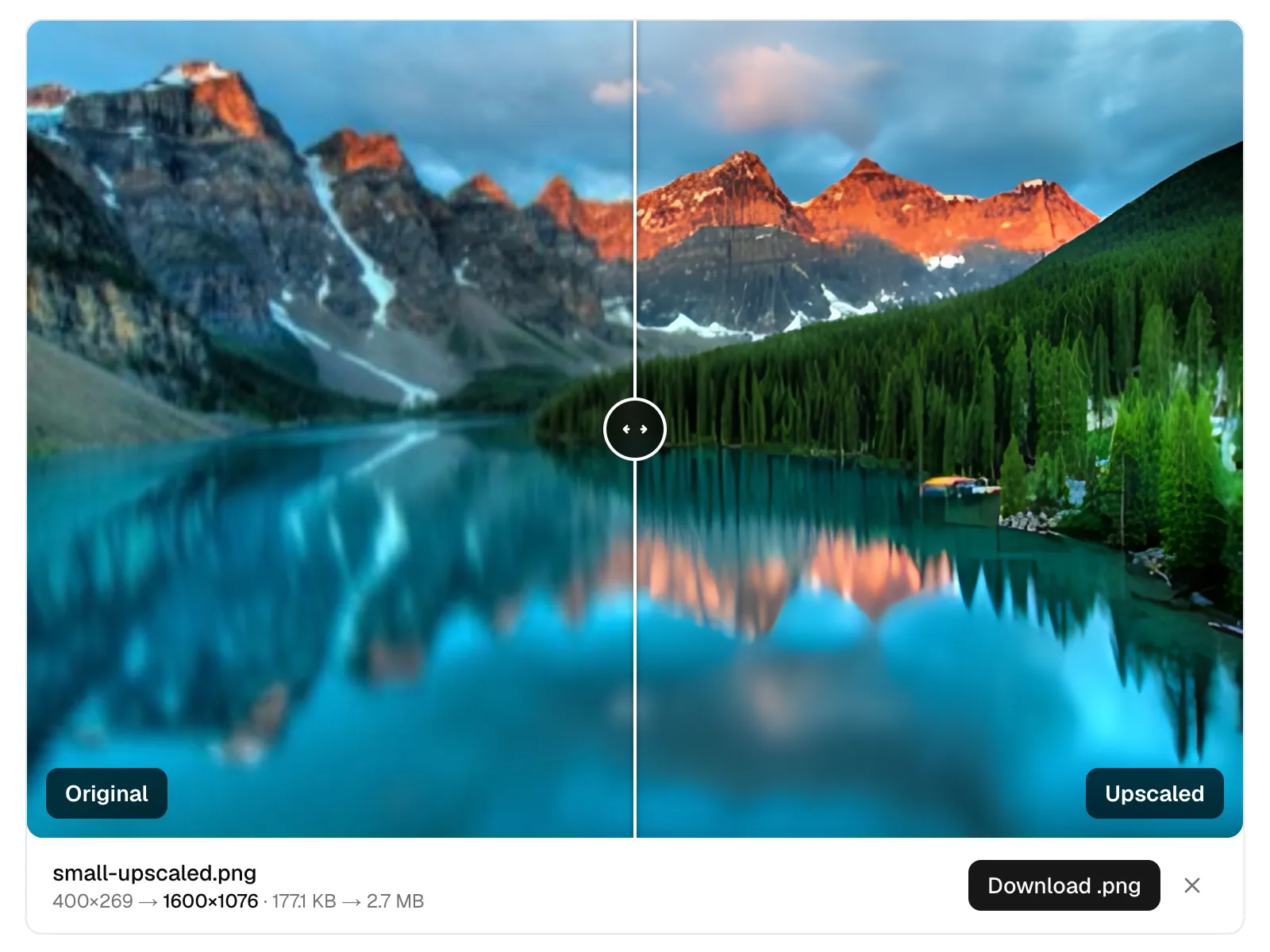
Output is always PNG, which is lossless and therefore large. A 2.7 MB result from a 177 KB source is normal rather than a fault. Run it through the compressor afterwards if the file has to travel.
What Can You Upscale?
Old and low-res photos
Scans and early digital camera shots gain printable resolution — faces, fabric, and foliage are re-detailed instead of blurred.
Product photos
Marketplace listings often demand 1600px+ images. Upscale supplier shots or older catalog photos to meet requirements with clean edges.
Prints and posters
4x turns screen-resolution images into 300 DPI print material — the difference between a soft A4 and a crisp one.
Web graphics and thumbnails
Recover a usable large version when the original is lost and all you have is the small export.
Frequently Asked Questions
What does the best ai image upscaler do?
The best ai image upscaler uses artificial intelligence to enlarge images while attempting to preserve and enhance important visual details.
Can I Upscale Images to 4K?
Yes, tools designed to Upscale Images to 4K can increase image resolution for larger displays, designs, and other high-resolution applications.
How does LeanImg upscale images?
LeanImg uses Real-ESRGAN, a state-of-the-art neural network for image super-resolution, running entirely in your browser. Your images never leave your device — the AI intelligently enhances details and sharpness while increasing resolution by 2x or 4x, producing results far superior to simple interpolation methods like bicubic scaling.
What file formats does LeanImg support for upscaling?
You can upload JPG, PNG, WebP, and AVIF images. The output is always a high-quality PNG file; transparent areas are flattened onto a white background. You can then compress or convert the result using our other free image tools.
What is the difference between 2x and 4x upscaling?
2x doubles your image dimensions (e.g. 512×512 becomes 1024×1024), while 4x quadruples them (e.g. 512×512 becomes 2048×2048). 4x produces larger files and takes longer to process. For most use cases, 2x provides excellent results.
Is the upscaling really free?
Yes — free, unlimited, and with no account. There is no sign-up, no watermarks, no per-image credits, and no hidden fees. LeanImg upscales as many images as you like at no cost using Real-ESRGAN AI.
Why is the output file larger than the original?
Upscaling increases the number of pixels in your image, which naturally results in a larger file. A 200 KB JPEG upscaled 4x can become 5–15 MB as a PNG. Use our free image compressor to reduce the file size after upscaling.
Can I really upscale to 4K for free?
Yes. A 1080p image (1920×1080) upscaled 2x becomes 3840×2160 — exactly 4K UHD — and larger sources go far beyond that. There are no watermarks, per-image credits, or paywalled resolution tiers: unlike most "free" upscalers that ration you to a few images per month or lock full resolution behind a subscription, LeanImg processes full-resolution images without counting them. The only ceiling is what your device can compute — see the size question below.
Why do results look better than resizing in Photoshop?
Resizing interpolates — it averages the pixels you already have, which blurs edges and texture as the image grows. LeanImg's AI model reconstructs detail instead: it has learned what sharp edges, skin, fabric, and text look like, and generates those patterns at the larger size. The result is added detail, not stretched pixels.
Is there a size limit?
The limit depends on your device and the scale you choose. On a desktop browser with GPU acceleration you can upscale images up to roughly 8000×8000 at 2x, or 5600×5600 at 4x — a full 24-megapixel camera photo, producing a result hundreds of megapixels large that is streamed straight to disk. On phones, or in browsers without GPU acceleration, the practical limits are lower. If an image is larger than what your device handles comfortably, the tool says so and warns that the run will take longer — it does not refuse the job, and you can start it anyway.
Have more questions? Learn more about LeanImg and how we process your images.
Upscaled images can be large — compress them to reduce file size. Or convert between formats like JPG, PNG, WebP, AVIF, and more. Need a different size? Resize your images to exact dimensions.