Compress a JPG Image
Every JPEG you drop on this page is decompressed to raw pixels on your own machine and rebuilt by MozJPEG, the encoder Mozilla developed to pull smaller files out of the 1992 JPEG format than stock libjpeg manages. Nothing is uploaded. The quality slider is not the one you know from a desktop editor: it works relative to how hard your file was compressed before it arrived, which stops a second pass from wrecking an already-small JPEG.
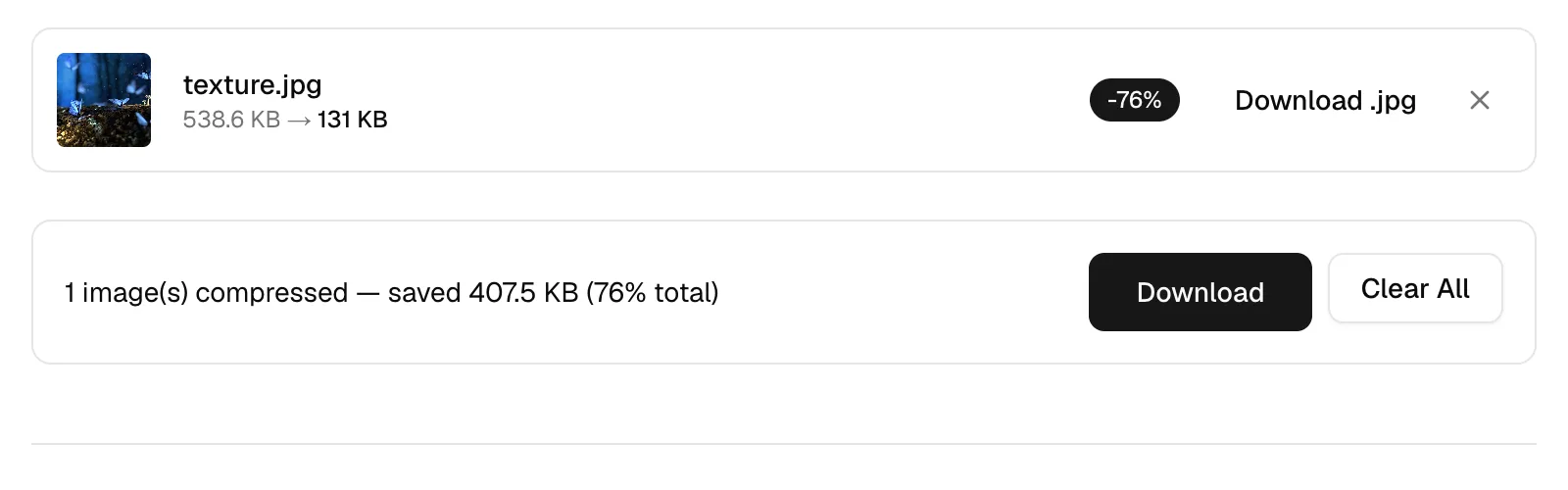
One photo at three quality settings
| Slider | Output | Saving |
|---|---|---|
| 90 | 347.8 KB | 35% smaller |
| 60 | 212.4 KB | 61% smaller |
| 30 | 131 KB | 76% smaller |
What the quality number means on this page
Type 75 into most encoders and you get an absolute strength, identical for every input. Here the number is a proportion. Before encoding, the tool inspects the compression already baked into your JPEG, estimates the level its previous encoder used, and aims your slider at a fraction of that. A file exported from Lightroom at roughly 90, compressed with the slider on 70, is written near 63; one a website had already squeezed to 55 comes out around 39 from the identical slider setting.
Two consequences follow. Feeding the output back in does not spiral into mush, because the second pass measures the first and aims proportionally below it. And identical slider positions produce different files from different sources — a camera export and a web download are not starting from the same place — so judge each run by the before-and-after sizes in the result list rather than by the number you set.
Progressive scans and colour subsampling
MozJPEG's defaults, which this tool keeps, produce progressive JPEGs with optimized Huffman tables. A progressive file arrives as a sequence of increasingly sharp full-frame passes instead of a strip unrolling from the top, so on a slow connection the whole photo is recognisable early. Progressive encoding also tends to shave a few percent off the file, one of the rare free wins in a lossy format.
The second default is chroma subsampling, picked automatically per encode. JPEG stores brightness separately from colour because human eyes resolve brightness much more finely, and at typical web settings the encoder keeps a single colour sample for each two-by-two block of pixels. Photographs shrug that off entirely. Saturated red text, thin coloured chart lines and sharp logo edges do not — they smear — which is why screenshots and diagrams belong with the PNG compressor rather than here.
Generation loss, and what size to aim for
JPEG damage is cumulative in the worst case and nearly free in the best. Re-saving the same untouched image at one setting settles after a pass or two, because the encoder keeps making the same decisions about the same values. Editing between saves is what hurts: crop, straighten or colour-correct and the next encode faces fresh pixels and spends its budget again — the smudge on a photo forwarded through five chat apps is exactly this. The boring habit wins: keep one master file, compress from it every time, and treat every compressed output as disposable.
For a size target, read the ladder in the table: the top of the slider range kept two thirds of the original bytes, the bottom kept a quarter. On a web page, a full-width hero photo is usually budgeted under about 200 KB and images in running text well under 100 KB, both comfortably reachable from a 4K source. For email, the constraint is the message: Gmail refuses anything over 25 MB, so a batch of photos run through the middle of the slider range travels easily where camera originals would not.
Frequently Asked Questions
Why does the slider here behave differently from Photoshop's?
Desktop editors treat the number as an absolute encoding strength. This page treats it as a fraction of the quality your JPEG already carries, estimated from the file itself, so slider 80 on a pristine export means something different from slider 80 on a file the web already squeezed. The result list is the ground truth either way.
What JPG quality should I use for a website?
Begin at 80 and judge the output. Backgrounds and thumbnails tolerate 50 or lower, especially if you check them at display size rather than zoomed to 100%, where softness nobody will ever see looks alarming. The table above shows what each step actually bought on one 4K photograph.
Are the JPEGs written here progressive?
Yes. MozJPEG's progressive mode and optimized Huffman coding are both on by default, so the files render as a quick blurry pass that sharpens as data arrives, and they are typically a little smaller than a baseline encode at the same quality.
Why do red text and thin lines look fuzzy after compression?
Chroma subsampling: JPEG records colour at lower resolution than brightness, and hard-edged saturated detail is precisely what that damages. It is a property of the format rather than a slider problem — screenshots, charts and interface captures should be PNGs instead.
Can JPEG compression be undone?
No. The discarded detail no longer exists in the file, and nothing recovers it — an AI upscaler can invent plausible replacements, which is generation, not recovery. This is why the original export matters more than any setting on this page.
Is there a difference between JPG and JPEG?
None at all. JPEG is the format's name; .jpg survives from operating systems that capped extensions at three letters. This page reads both and writes identical output whichever extension the input carried.
Should I resize a JPG before compressing it?
If it is larger than it will ever be displayed, yes, and do the resize first. Cutting pixel dimensions removes data outright, which buys more than any encoder setting can, and compressing before resizing wastes effort encoding detail the resize then throws away.
Where do my images go when I compress them on this page?
Nowhere. The encoder is WebAssembly running inside the page; the file is read, compressed and offered back for download without leaving your machine. Loading the page fetches code — compressing an image fetches nothing at all, which the browser's network panel will confirm.