Kompres Gambar ke WebP
Memilih WebP adalah keputusan kompresi itu sendiri: piksel yang sama yang dijelaskan oleh codec yang hampir dua dekade lebih muda dari JPEG biasanya membutuhkan lebih sedikit byte. Halaman ini mengonversi JPG atau PNG ke WebP di perangkat keras Anda sendiri dan menempatkan hasil yang diukur di samping yang asli, karena pertanyaan menariknya tidak pernah apakah WebP bisa lebih kecil — tetapi apakah itu, untuk gambar Anda, pada pengaturan yang Anda gunakan. Tabel di bawah ini adalah satu foto nyata yang diambil melalui empat pengkodean yang berbeda.
Satu foto, empat pengkodean, terukur
| Output | Ukuran | Penghematan |
|---|---|---|
| JPEG, slider 80 | 286.1 KB | 47% lebih kecil |
| WebP, slider 80 | 290.3 KB | 46% lebih kecil |
| AVIF, slider 80 | 312.7 KB | 42% lebih kecil |
| WebP, slider 63 | 200.6 KB | 63% lebih kecil |
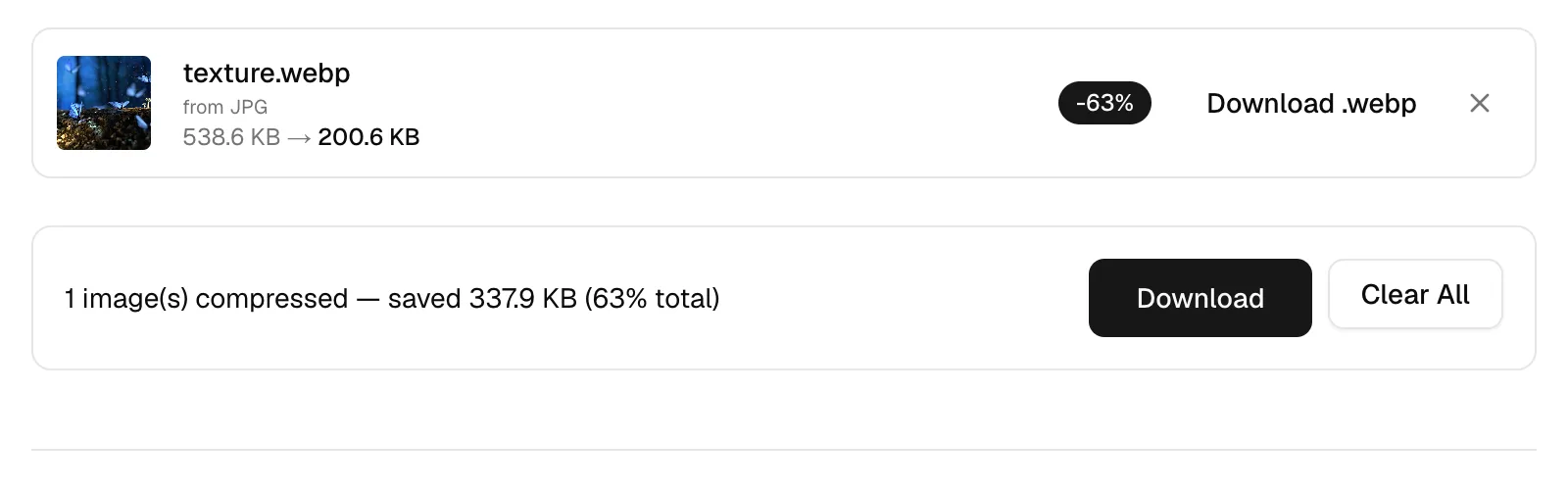
Satu penggeser, tiga pengkode, tiga makna
Tabel ini tidak setuju dengan setiap grafik WebP-versus-JPEG di internet: pada posisi penggeser yang sama, WebP berada beberapa kilobyte di atas JPEG dan AVIF di atas keduanya. Penjelasannya bukan pada codec tetapi pada penggeser. Setiap pengkode menerima angka dengan cara yang berbeda. Jalur JPEG menginterpretasikannya relatif terhadap seberapa terkompresi sumbernya, sehingga 80-nya dengan tenang menjadi pengaturan efektif yang lebih rendah; WebP dan AVIF keduanya mengambil 80 apa adanya, dan untuk AVIF — yang disetel untuk terlihat baik jauh lebih rendah — 80 adalah pengaturan mewah yang tidak ada yang mengujinya.
Berikan setiap codec kualitas yang dirancang di sekitarnya dan peringkatnya terbalik. Mode pintar melakukan persis itu: WebP tetap pada default datarnya 80 sementara AVIF turun ke 63, dan pada pengaturan tersebut foto yang sama keluar pada 200.6 KB sebagai WebP dan 186.9 KB sebagai AVIF. Perbandingan lintas format yang dibuat dengan satu angka penggeser bersama mengukur penggeser, bukan format.
Lossy, lossless, dan apa yang ditulis alat ini
WebP sebenarnya adalah dua jenis file yang berbagi ekstensi. Bagian lossy berasal dari codec video VP8 dan bekerja seperti JPEG yang lebih kuat: menebak setiap blok dari blok di sekitarnya, kemudian hanya mengkodekan kesalahan. Bagian lossless adalah skema yang tidak terkait yang lebih dekat dalam semangat dengan PNG. Keduanya tidak pernah bercampur — WebP lossy pada kualitas 100 masih merupakan file lossy — dan kompresor ini hanya menulis jenis lossy, apa pun yang dikatakan penggeser.
Transparansi bertahan tanpa memandang: WebP membawa bidang alpha 8-bit di kedua bagian, dan dalam file yang ditulis halaman ini bidang transparansi itu sendiri tidak terdegradasi oleh pengkode lossy. Dari input JPEG tidak ada yang perlu dipertahankan, karena tidak ada JPEG yang pernah membawa saluran alpha.
Animasi, dan menyajikan WebP dengan aman
Format WebP dapat dianimasikan; alat ini tidak. Apa pun yang masuk, tepat satu frame keluar. Input GIF animasi terdeteksi, dan kartu hasil memperingatkan bahwa hanya frame pertama yang selamat. WebP animasi, APNG atau AVIF animasi saat ini tidak terdeteksi: itu kembali sebagai gambar diam satu frame tanpa peringatan, dan pengurangan ukuran spektakuler yang dilaporkan untuknya sebagian besar berasal dari frame yang menghilang daripada pengkodean yang cerdas. Hingga deteksi itu ada, perlakukan hasil yang tampaknya baik pada file animasi dengan kecurigaan dan jauhkan animasi dari halaman ini.
Di sisi penyajian, kekhawatiran kompatibilitas sebagian besar bersifat historis: setiap browser saat ini mendekode WebP dan telah melakukannya selama bertahun-tahun. Yang tertinggal adalah aplikasi, bukan browser — penampil gambar yang lebih tua dan beberapa klien email masih menolak. Pertahanan standar adalah menyimpan salinan JPEG atau PNG di samping dan membiarkan elemen gambar menawarkan keduanya, sehingga pengunjung modern mendapatkan file kecil dan semuanya yang lain mendapatkan satu yang dipahami. Mengadopsi WebP tidak pernah memerlukan meninggalkan yang asli.
Pertanyaan yang Sering Diajukan
Apakah WebP benar-benar lebih kecil dari JPEG?
Untuk foto dengan kualitas visual yang benar-benar cocok, ya — studi yang diterbitkan oleh Google menempatkan penghematan dalam kisaran 25 hingga 34%, dan pengkode mode pintar dalam tabel setuju. Angka penggeser yang cocok tidak berarti kualitas yang cocok, meskipun, yang merupakan cara tepat bagaimana perbandingan naif dalam tabel yang sama menempatkan JPEG sedikit lebih unggul.
Apakah mengonversi JPG ke WebP kehilangan kualitas?
Ini menambahkan satu generasi lossy, yang pada kualitas 80 pada foto hampir tidak terlihat. Apa yang perlu diperhatikan adalah perjalanan bolak-balik: WebP kembali ke JPEG dan keluar lagi memperburuk kerusakan setiap kali, jadi konversi sekali, dari sumber terbaik yang Anda miliki, dan simpan sumber itu.
Apakah transparansi akan bertahan setelah konversi ke WebP?
Dari input PNG, ya: alpha adalah bagian dari kedua mode WebP, dan dalam file yang ditulis halaman ini bidang transparansi itu sendiri tidak terdegradasi oleh pengkode lossy. Dari input JPEG tidak ada yang perlu dipertahankan, karena tidak ada JPEG yang pernah membawa saluran alpha.
Apa yang terjadi pada file animasi di sini?
Mereka keluar sebagai gambar diam tunggal. GIF animasi setidaknya ditandai di kartu hasilnya; WebP animasi, APNG atau AVIF kehilangan frame-nya secara diam-diam, dan penghematan yang dilaporkan kemudian menyesatkan. Alat yang menjaga animasi tetap utuh adalah pilihan yang tepat untuk file-file tersebut — yang ini dibangun untuk gambar diam.
Browser mana yang masih tidak dapat menampilkan WebP?
Secara efektif tidak ada yang menerima pembaruan: Chrome, Firefox, dan Edge telah mendekode selama bertahun-tahun, dan Safari sejak 2020. Yang tertinggal adalah aplikasi tua daripada browser — salinan JPEG atau PNG cadangan menutupi mereka.
Haruskah saya memilih WebP atau AVIF sebagai output?
AVIF menang dalam byte — 186.9 KB dibandingkan 200.6 KB WebP pada foto uji — dan kalah dalam waktu dan kompatibilitas: ia mendorong pengkode AV1 melalui WebAssembly, yang terasa lambat, dan perangkat lunak lama lebih mungkin membuka WebP. Untuk batch dan penggunaan umum, WebP; untuk situs web di mana setiap kilobyte dihitung, AVIF.
Apakah halaman ini dapat mengecilkan WebP yang sudah saya miliki?
Ya. WebP diterima sebagai input, dan dengan format yang dibiarkan pada Simpan asli, itu mengkode ulang kembali ke WebP. Penggeser diambil secara harfiah pada jalur itu — tidak ada yang diubah ukurannya terhadap sumber — jadi gerakkan di bawah level di mana file dibuat dan bandingkan ukuran yang diukur sebelum mengunduh.
Bisakah saya mengonversi WebP kembali ke JPG atau PNG?
Ya — jalankan melalui kompresor ini dengan format output yang berbeda, atau gunakan konverter khusus di situs ini. Apa pun yang tidak dipulihkan oleh alat adalah detail yang dibuang oleh pengkode lossy sebelumnya, jadi lakukan konversi dari yang asli daripada dari konversi lain.