Aumentador de Imágenes AI — Aumenta Imágenes a 4K, Gratis
Mejora la calidad de la imagen con nuestro mejor aumentador de imágenes AI. Mejora fotos más pequeñas o de baja resolución aumentando su tamaño mientras preservas detalles importantes. Con Aumentar Imágenes a 4K, puedes preparar imágenes para pantallas, diseños, impresión y otros usos de alta resolución.
¿Quieres agradecernos? ¡Dile a tus amigos sobre LeanImg!
Cómo Aumentar Imágenes
Sube tu imagen
Elige un archivo o arrástralo y suéltalo en el aumentador.
Selecciona la escala
Elige aumento 2x o 4x y haz clic en el botón para comenzar la mejora con AI.
Descargar
Descarga la imagen PNG de alta resolución aumentada.
¿Por qué LeanImg?
Las imágenes de baja resolución son un problema común — fotos antiguas, capturas de pantalla, miniaturas e imágenes web a menudo carecen del detalle necesario para imprimir, presentaciones o redes sociales. La mayoría de las herramientas de aumento cobran por imagen, añaden marcas de agua o producen resultados borrosos con interpolación simple. LeanImg es diferente — nuestro aumentador está impulsado por Real-ESRGAN, una red neuronal de última generación que añade detalle y nitidez genuinos, funcionando completamente en tu navegador para que tus imágenes nunca salgan de tu dispositivo. Es completamente gratis, no requiere registro y produce resultados de alta calidad sin marcas de agua. Explora todas nuestras herramientas de imagen gratuitas para optimizar tu flujo de trabajo.
Mejora Impulsada por AI
Impulsado por Real-ESRGAN, una red neuronal líder para superresolución de imágenes. Añade detalle real, no solo píxeles más grandes — 100% en tu dispositivo.
Gratis, Sin Límites
Sin tarifas por imagen, sin marcas de agua, sin registro. Salida de alta resolución, uso ilimitado — completamente gratis.
Sin Software para Instalar
Aumenta imágenes en línea en segundos. Sin descargas, sin registros — solo arrastra, suelta y listo.
Aumento AI vs. Redimensionamiento Tradicional
Ampliar una imagen y mejorarla son dos trabajos diferentes. El redimensionamiento tradicional — interpolación bicúbica o Lanczos, lo que hace el cuadro de diálogo Tamaño de Imagen de Photoshop o cualquier escalador de fotos básico — estira los píxeles que ya tienes: cada nuevo píxel es un promedio de sus vecinos, que es por qué las fotos ampliadas se ven suaves y pixeladas. El aumento AI predice el detalle que debería estar allí: una red neuronal entrenada en millones de pares de imágenes reconstruye bordes, texturas y patrones finos mientras amplía, por lo que el cabello se mantiene nítido, el texto legible y las superficies conservan su grano.
| Redimensionamiento tradicional | Aumento AI | |
|---|---|---|
| Cómo funciona | Promedia píxeles existentes (interpolación) | Reconstruye detalle con una red neuronal entrenada |
| Bordes y texto | Se suavizan y difuminan a medida que crece el tamaño | Reconstruido nítido — sin halos, sin bordes en escalera |
| Textura de foto | Se difumina en un aspecto de acuarela a 4x | Preservado y re-detallado |
| Ruido y artefactos JPEG | Aumentados junto con la imagen | Limpiados durante el aumento |
| Mejor para | Ajustes pequeños por debajo de 1.5x | Aumentos reales — 2x y 4x |
¿2x o 4x — cuál deberías elegir?
Elige 2x cuando la imagen ya sea decente y necesites que sea más grande para pantallas: una foto web de 800×600 se convierte en 1600×1200 — nítida en cualquier pantalla — y un fotograma de 1080p se convierte exactamente en 4K UHD (3840×2160). Elige 4x para impresión, recortes pesados o rescatar originales pequeños: la misma foto de 800×600 se convierte en 3200×2400, suficiente para una impresión de 10×8 pulgadas a 300 DPI. 4x genera dieciséis veces los píxeles, por lo que tarda más — la barra de progreso muestra exactamente dónde está el trabajo.
Cómo LeanImg Aumenta en Alta Calidad
LeanImg ejecuta Real-ESRGAN — el mismo modelo de superresolución de código abierto detrás de muchas aplicaciones de aumento de pago — directamente en tu dispositivo, utilizando tu tarjeta gráfica cuando está disponible. Las imágenes grandes se procesan en mosaicos superpuestos y se ensamblan sin problemas, que es cómo la herramienta produce resultados genuinamente grandes: una foto de 24 megapíxeles puede convertirse en un PNG de calidad de impresión de cientos de megapíxeles de tamaño. No hay marcas de agua, no hay niveles de resolución detrás de un muro de pago, y no hay contadores de créditos — los únicos límites son lo que tu dispositivo puede calcular, y la herramienta te dice cuando una imagen los excede.
2x y 4x en el mismo archivo
Ambas ejecuciones a continuación comenzaron desde el mismo PNG de 400x269, 177.1 KB. Arrastra el divisor en la herramienta para comparar; estos son los resultados que produjo.
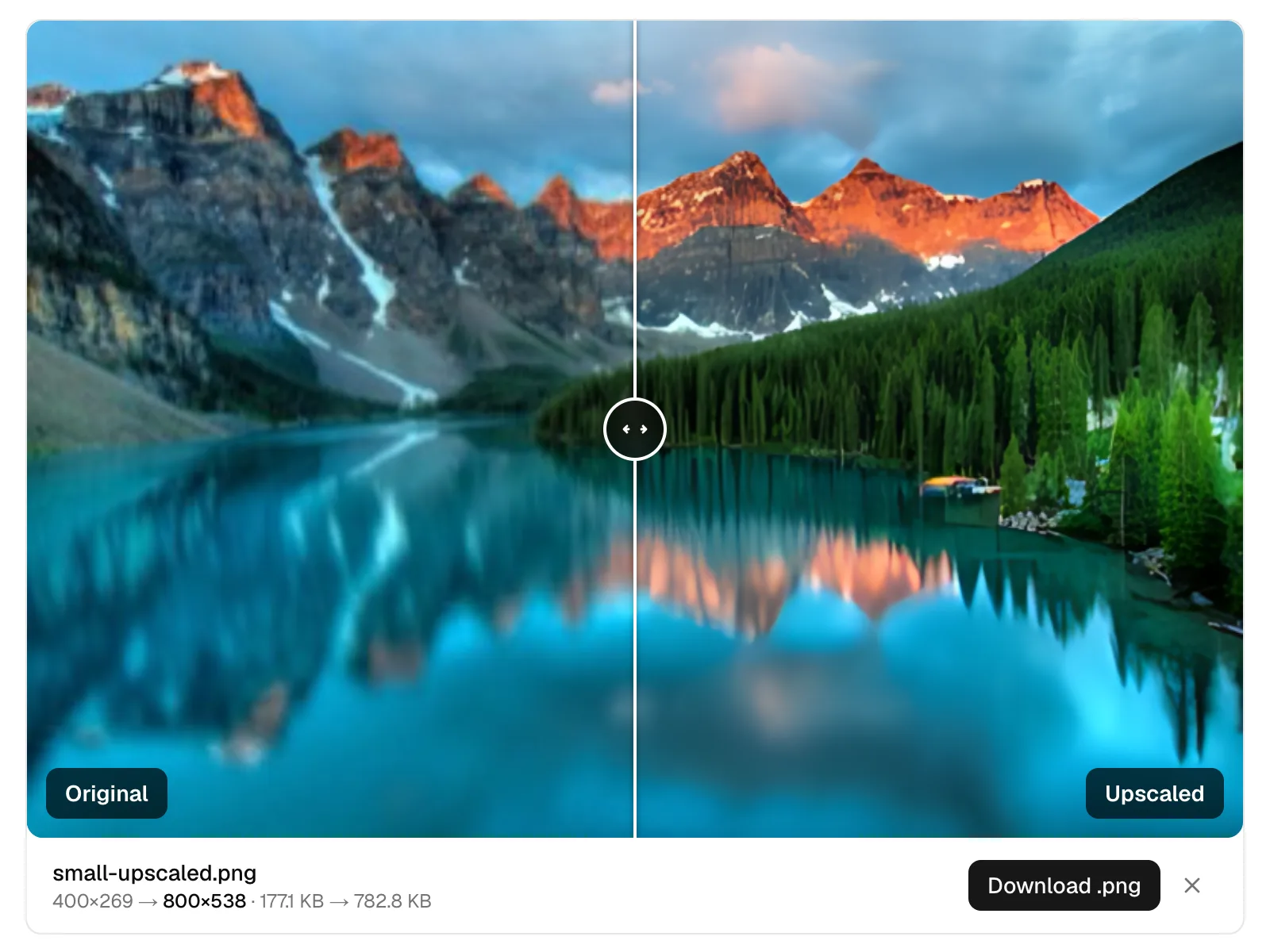
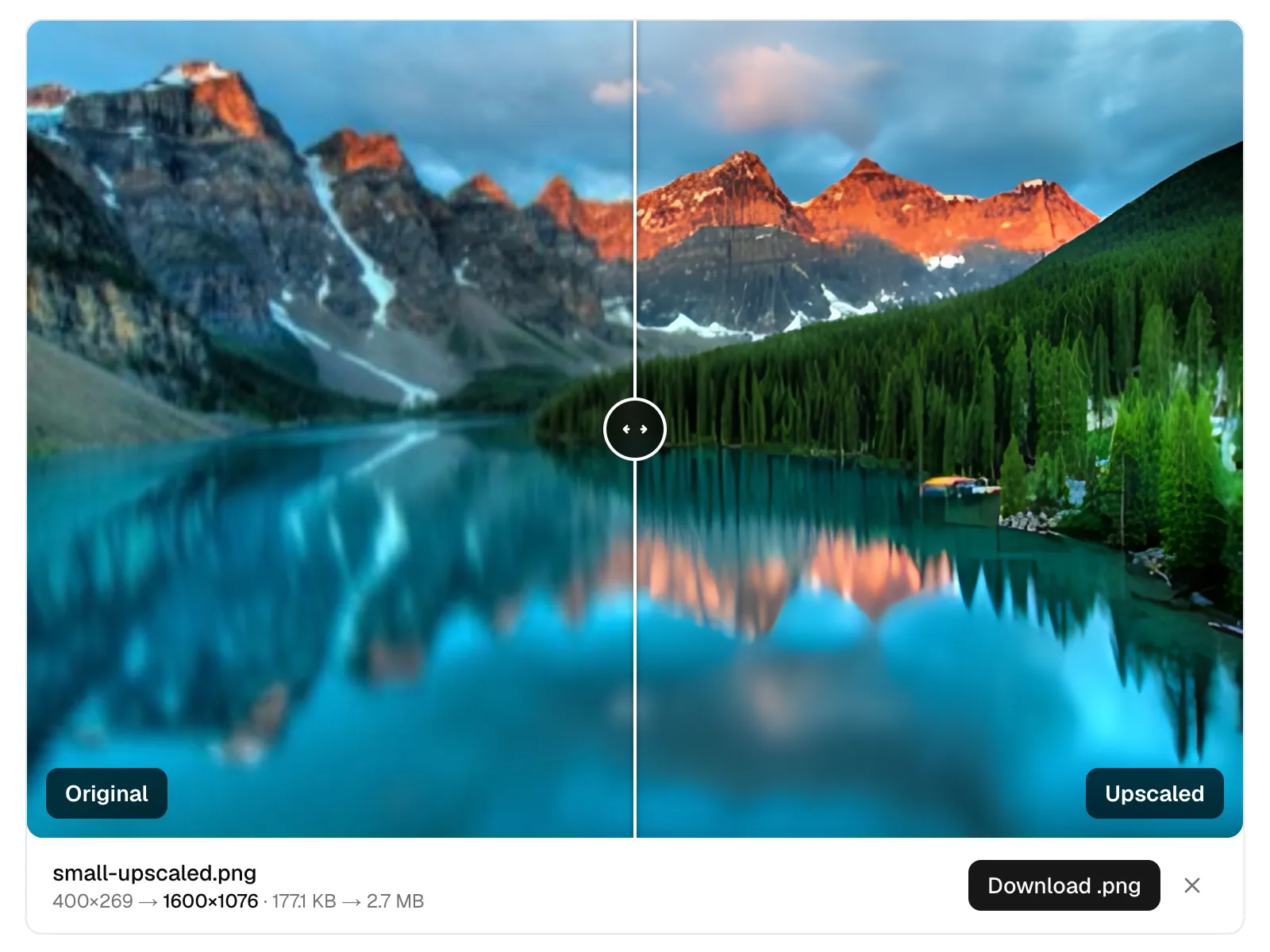
La salida es siempre PNG, que es sin pérdida y por lo tanto grande. Un resultado de 2.7 MB de una fuente de 177 KB es normal en lugar de un defecto. Pásalo por el compresor después si el archivo tiene que viajar.
¿Qué Puedes Aumentar?
Fotos antiguas y de baja resolución
Escaneos y fotos de cámaras digitales tempranas ganan resolución imprimible — rostros, telas y follaje son re-detalizados en lugar de difuminados.
Fotos de productos
Los listados de mercado a menudo exigen imágenes de 1600px+. Aumenta fotos de proveedores o fotos de catálogos antiguas para cumplir con los requisitos con bordes limpios.
Impresiones y carteles
4x convierte imágenes de resolución de pantalla en material de impresión a 300 DPI — la diferencia entre una A4 suave y una nítida.
Gráficos web y miniaturas
Recupera una versión grande utilizable cuando se pierde el original y todo lo que tienes es la pequeña exportación.
Preguntas Frecuentes
¿Qué hace el mejor aumentador de imágenes AI?
El mejor aumentador de imágenes AI utiliza inteligencia artificial para agrandar imágenes mientras intenta preservar y mejorar detalles visuales importantes.
¿Puedo aumentar imágenes a 4K?
Sí, las herramientas diseñadas para Aumentar Imágenes a 4K pueden aumentar la resolución de la imagen para pantallas más grandes, diseños y otras aplicaciones de alta resolución.
¿Cómo aumenta LeanImg las imágenes?
LeanImg utiliza Real-ESRGAN, una red neuronal de última generación para superresolución de imágenes, que se ejecuta completamente en tu navegador. Tus imágenes nunca abandonan tu dispositivo: la IA mejora inteligentemente los detalles y la nitidez mientras aumenta la resolución en 2x o 4x, produciendo resultados muy superiores a los métodos de interpolación simples como el escalado bicúbico.
¿Qué formatos de archivo admite LeanImg para aumentar?
Puedes subir imágenes JPG, PNG, WebP y AVIF. La salida es siempre un archivo PNG de alta calidad; las áreas transparentes se aplanan sobre un fondo blanco. Luego puedes comprimir o convertir el resultado utilizando nuestras otras herramientas de imagen gratuitas.
¿Cuál es la diferencia entre aumentar 2x y 4x?
2x duplica las dimensiones de tu imagen (por ejemplo, 512×512 se convierte en 1024×1024), mientras que 4x las cuadruplica (por ejemplo, 512×512 se convierte en 2048×2048). 4x produce archivos más grandes y tarda más en procesarse. Para la mayoría de los casos de uso, 2x proporciona excelentes resultados.
¿El aumento es realmente gratis?
Sí, gratis, ilimitado y sin cuenta. No hay registro, no hay marcas de agua, no hay créditos por imagen y no hay tarifas ocultas. LeanImg aumenta tantas imágenes como desees sin costo utilizando la IA de Real-ESRGAN.
¿Por qué el archivo de salida es más grande que el original?
Aumentar incrementa el número de píxeles en tu imagen, lo que naturalmente resulta en un archivo más grande. Un JPEG de 200 KB aumentado 4x puede convertirse en 5–15 MB como PNG. Usa nuestro compresor de imágenes gratuito para reducir el tamaño del archivo después de aumentar.
¿Puedo realmente aumentar a 4K gratis?
Sí. Una imagen de 1080p (1920×1080) aumentada 2x se convierte en 3840×2160 — exactamente 4K UHD — y fuentes más grandes van mucho más allá de eso. No hay marcas de agua, créditos por imagen o niveles de resolución de pago: a diferencia de la mayoría de los "aumentadores" "gratis" que te limitan a unas pocas imágenes por mes o bloquean la resolución completa detrás de una suscripción, LeanImg procesa imágenes de resolución completa sin contarlas. El único límite es lo que tu dispositivo puede calcular — consulta la pregunta de tamaño a continuación.
¿Por qué los resultados se ven mejor que redimensionar en Photoshop?
Redimensionar interpola: promedia los píxeles que ya tienes, lo que difumina bordes y texturas a medida que la imagen crece. El modelo de IA de LeanImg reconstruye detalles en su lugar: ha aprendido cómo se ven los bordes nítidos, la piel, la tela y el texto, y genera esos patrones en el tamaño más grande. El resultado es un detalle añadido, no píxeles estirados.
¿Hay un límite de tamaño?
El límite depende de tu dispositivo y de la escala que elijas. En un navegador de escritorio con aceleración de GPU, puedes aumentar imágenes hasta aproximadamente 8000×8000 a 2x, o 5600×5600 a 4x — una foto de cámara de 24 megapíxeles completa, produciendo un resultado de cientos de megapíxeles que se transmite directamente al disco. En teléfonos, o en navegadores sin aceleración de GPU, los límites prácticos son más bajos. Si una imagen es más grande de lo que tu dispositivo puede manejar cómodamente, la herramienta lo indica y advierte que la ejecución tomará más tiempo — no rechaza el trabajo, y puedes iniciarlo de todos modos.
¿Tienes más preguntas? Aprende más sobre LeanImg y cómo procesamos tus imágenes.
Las imágenes aumentadas pueden ser grandes — comprime para reducir el tamaño del archivo. O convierte entre formatos como JPG, PNG, WebP, AVIF, y más. ¿Necesitas un tamaño diferente? Ajusta el tamaño de tus imágenes a dimensiones exactas.