How to make a passport photo at home: 12 online tools tested
We ran four stock photos through 12 online passport photo makers in October 2026, and none caught glasses. Here's how to take, check and print the photo at home.
Yes, you can make a US passport photo at home. Taking the picture is the easy part: all you'll need is a phone and somebody who's happy to stand several feet away and press the button.
What's hard is knowing whether it'll pass. On 2026-10-20 we ran four stock photos through 12 online passport photo makers, LeanImg included. One photo had glasses on and not a single tool caught them. Another had a wide smile with teeth showing, which the US State Department's upload page asks you to avoid. Only LeanImg flagged that one. It didn't even do that until we switched to the UK printed photo.
So here's the verdict before the details. Use a tool for the crop, the head size and the print sheet. Check the glasses and the mouth yourself, because nothing we tested does it for you.
Can you take a passport photo at home?
Yes. State's photos page lists "A friend or family member" among the people who can take your photo, so there's nothing wrong with a picture taken in your living room.
The same page also says "Unacceptable photos are the number one reason why we put passport applications on hold." That's the risk you take at home. It's also why most of this guide is about checking.
For an online renewal you upload a file. The upload page takes JPG, JPEG, PNG, HEIC or HEIF between 54 KB and 10 MB. It also says "You can reposition or crop your photo in the application." And then the line that matters most: "An employee will review your photo after we receive your application". So State crops the photo itself and a person looks at it. Whatever a website's told you before that, it's the employee who has the final word.
How do you take a passport photo at home?
Get somebody else to take it. State's photos page says "Position yourself several feet away from the camera" and your arm isn't several feet long. For the UK online application GOV.UK is even more direct: "You'll need someone to help you take a photo".
That's one. Second, leave room. The upload page says "The bottom frame of the photo should be the edge of your shoulders near where they connect to your arms." It has a line for when you can't tell as well: "If you're not sure, leave a little extra room around your face." Extra room is cheap to fix. Of the eight tools that got our too-far photo, seven framed it correctly.
Third, the face. State's photos page says "You can smile in your photo. Just make sure your eyes are open and your mouth is closed." The upload page adds "Remove anything covering your face (including eyeglasses)". If you can't take your glasses off for medical reasons, State asks you to "include a signed note from your doctor".
Fourth, leave the photo alone. State says "Do not change your photo using computer software, phone apps or filters." That's a beauty mode on the phone as well. When you move the file to your computer, State's upload page says "do not send the image via text message", so you'll want a cable or a cloud drive.
That's it. Three of those four things are about the person in the photo.
Four rules other passport photo pages get wrong
A lot of the passport photo pages we read for this guide repeat rules that State's own pages don't say. Here's each of the four we saw most, with its source next to it.
Problem number one is a date. Several pages say State banned edited photos "effective January 1, 2026". There's no such date on the State photos page we read, last updated 2026-03-24. The rule against altered photos sits in the Foreign Affairs Manual at 8 FAM 402.1-3(g), in a revision dated 2024-09-06.
Second, the file size. You'll read that an online renewal photo must be 600 x 600 pixels and under 240 KB. That's the visa photo rule. The passport upload page asks for 54 KB to 10 MB and gives no pixel size at all. Our guide to digital passport photo sizes has the numbers for each form.
Third, smiling. Some pages tell you smiling is banned. State's photos page says "You can smile in your photo" and asks for one thing in return, a closed mouth. The upload page spells the teeth part out for you: "Avoid showing teeth."
Fourth, green cards. One page told us a photo you make yourself works for USCIS too. On 2025-12-12 USCIS announced that "self-submitted photos will no longer be accepted. Only photos taken by USCIS or other authorized entities will be used." So for a green card or a naturalization form, a home photo won't do.
What did 12 online passport photo makers catch?
Less than their pages suggest. None of the 12 caught our glasses photo. Only one caught the smile with teeth: LeanImg, on the UK printed photo spec and nowhere else.
The setup in short. We used one clean photo plus three with one known problem each: the person stands too far from the camera, wears glasses or smiles with teeth showing. We picked the US passport wherever a tool asked for a document. We didn't buy anything and stayed on the free stage.
| Tool | Price | Too far | Glasses | Smile with teeth | What the free stage shows |
|---|---|---|---|---|---|
| LeanImg | Free | Framed correctly | Missed | Missed on US spec; caught on UK printed spec | 14 checks with measured values |
| PhotoAiD | Paid; no price before checkout | Framed correctly | Missed | Missed | 6 pass/fail lines; expert check after you pay |
| Passport Photo Online | $16.95 | Not run | Not run | Missed | Same screens as PhotoAiD |
| Visafoto | €7 | Framed correctly | Missed | Missed | Says it "fully meets" the rules; no checks listed |
| IDPhoto4You | Free | Not run | Not run | Not run | Manual crop, no checks |
| PhotoGov | $6.90; free crop is watermarked | Framed correctly | Missed | Missed | "Meets requirements: Yes" |
| 123PassportPhoto | €8.95 | Not run | Not run | Not run | Crop box placed for you; free 4x6 is a watermarked preview |
| Persofoto | Free; £7.95 for checked prints | Not run | Not run | Not run | No checks; black strip down one side |
| Snap2Pass | Email asked before any price | Framed correctly | Missed | Missed | "Initial check passed" |
| PixID | $4.99 | Failed with no warning | Missed | Missed | No result before you pay; top of the head cut off |
| ePassportPhoto | Paid; no price before checkout | Not run | Not run | Missed | Same 6 lines as PhotoAiD |
| OpenPhotoId | Free | Framed correctly | Missed | Missed | 11 measured checks |
| Photo Pass | Free | Framed correctly | No glasses check | No expression check | 2 checks |
So are these tools useless? No. Framing is where they earn their keep. Seven of the eight that got our too-far photo cropped it to a passport frame without any help from us. They just don't check the glasses or the mouth.
What each tool showed us
Everything below is what each tool's own page showed on 2026-10-20. Prices are what an EU IP address saw that day. They may be different where you are.
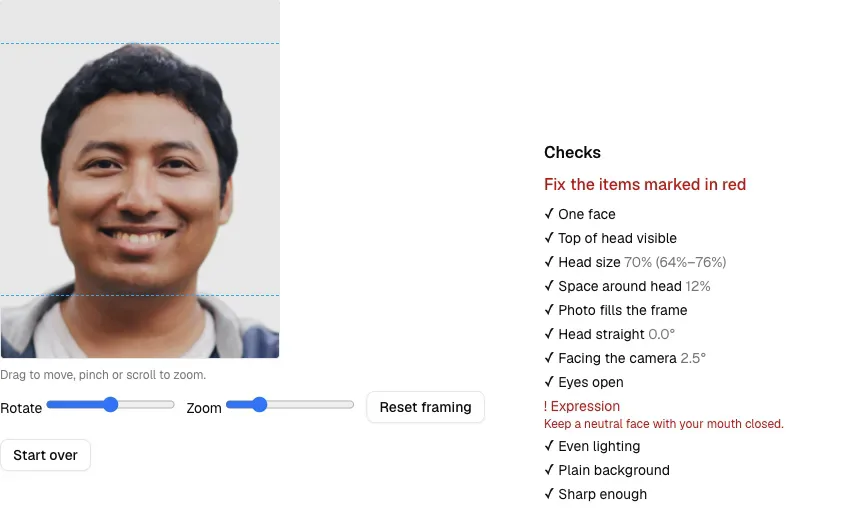
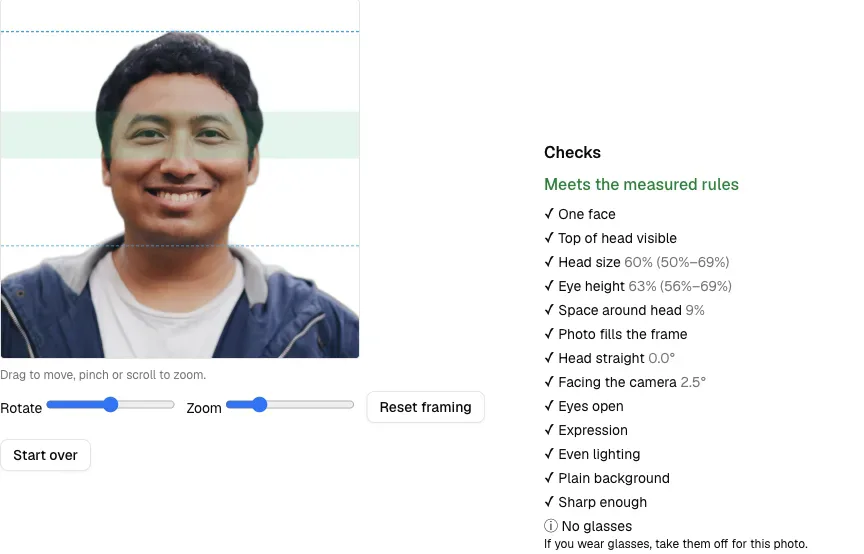
LeanImg runs in your browser, so the photo doesn't leave your device. It showed 14 named checks with a measured value next to each one. On the clean photo that was a 60% head and an eye line at 63%, plus a warning that the shoulders were cut off. It cropped the too-far photo to a 60% head. It missed the glasses: that photo got the same general note about glasses every photo gets. On the UK printed photo spec it flagged the toothy smile with "Keep a neutral face with your mouth closed". Switch to the US passport and the same picture passes with "Expression ✓".
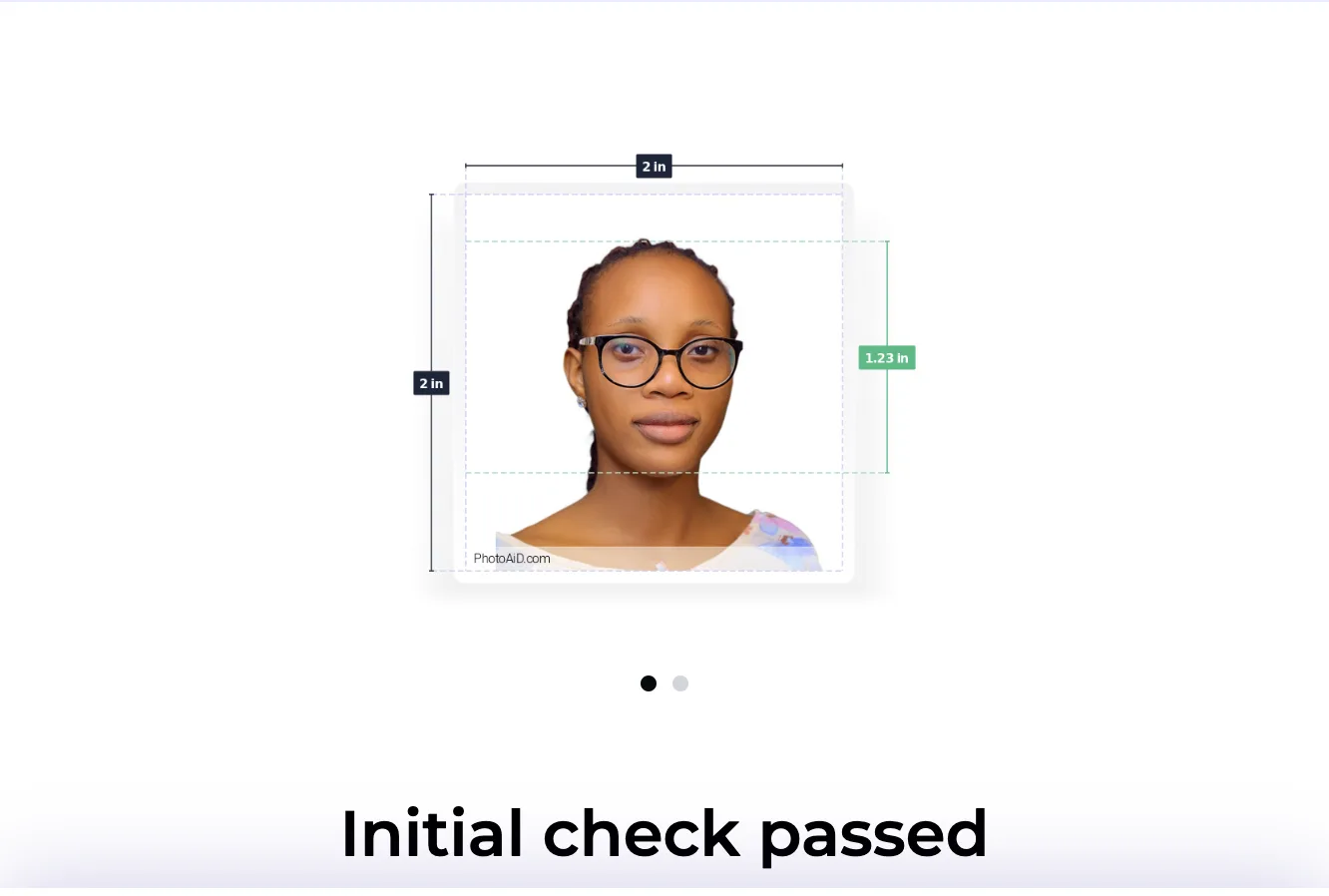
PhotoAiD said "Initial check passed" on all four photos, the glasses and the teeth included. None of its six free pass/fail lines is about glasses or the mouth. After checkout, its page says, "our expert will verify your photo". We didn't pay, so we can't tell you whether that expert would've caught the glasses.
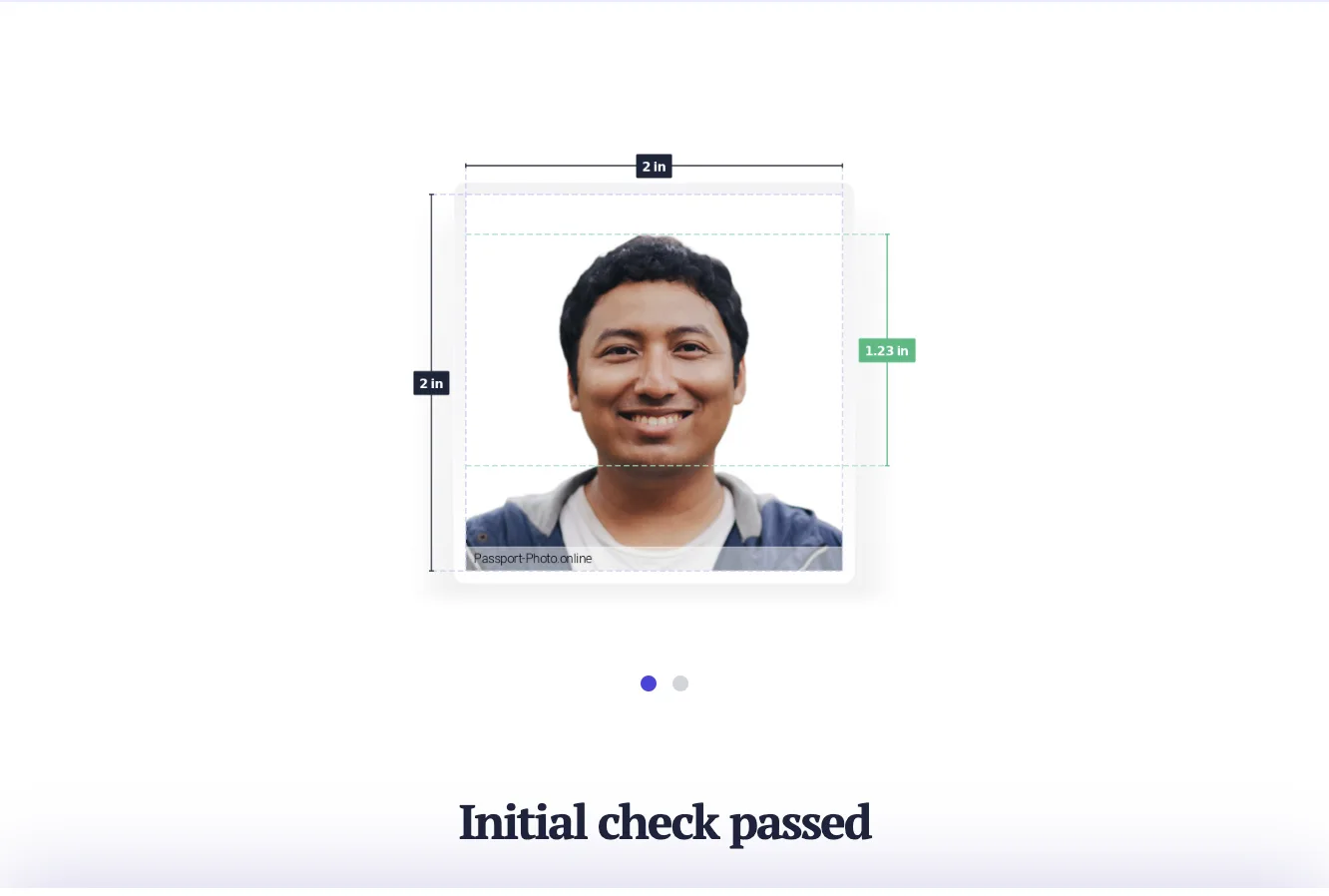
Passport Photo Online showed the same screens as PhotoAiD on both photos we ran, down to the 1.23 inch head on the clean one. Its footer names the same operator. It passed the toothy smile as well. The digital photo cost $16.95 when we looked from the EU.
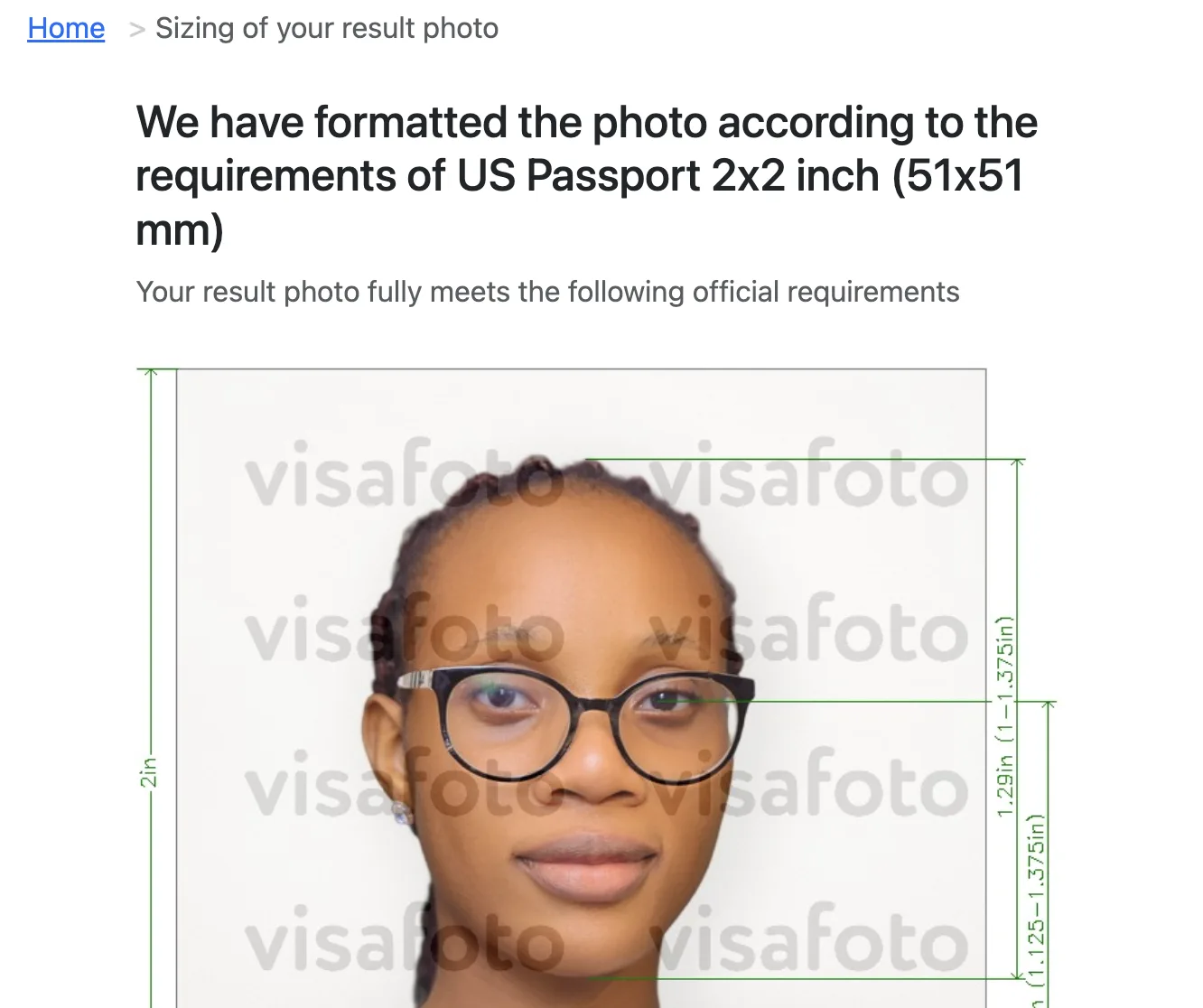
Visafoto told us "Your result photo fully meets the following official requirements" on all four photos. That's the glasses and the teeth included. It states a 0 to 240 KB size window, which is the visa limit. The passport upload takes 54 KB to 10 MB. The digital photo was €7.
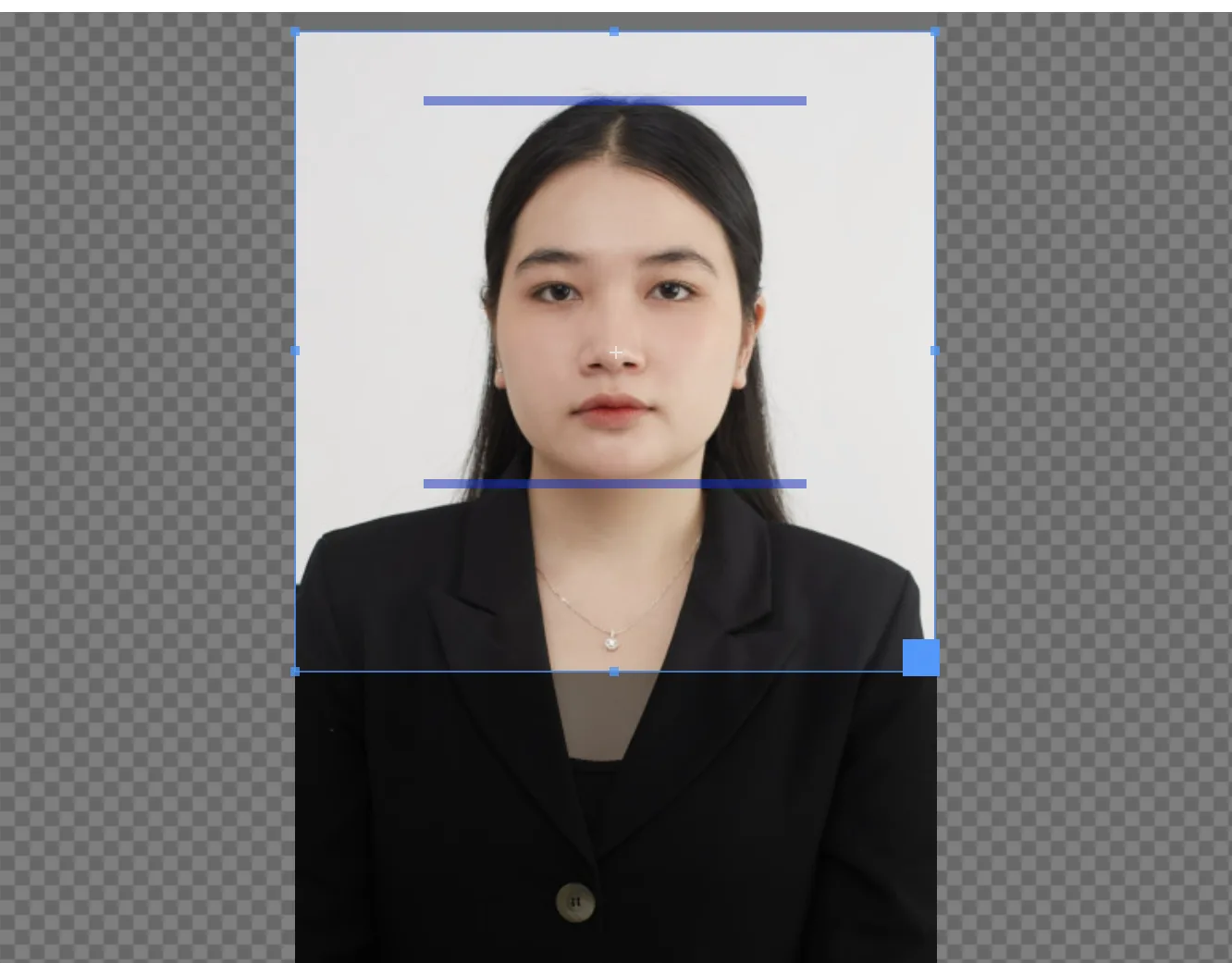
IDPhoto4You is free and manual. You set brightness and contrast, then drag a chin bar and a crown bar into place yourself. Its starting frame didn't sit on the face of our clean photo. There's nothing automatic to test, so we ran the clean photo only and then used its "Delete my file from the server" link.
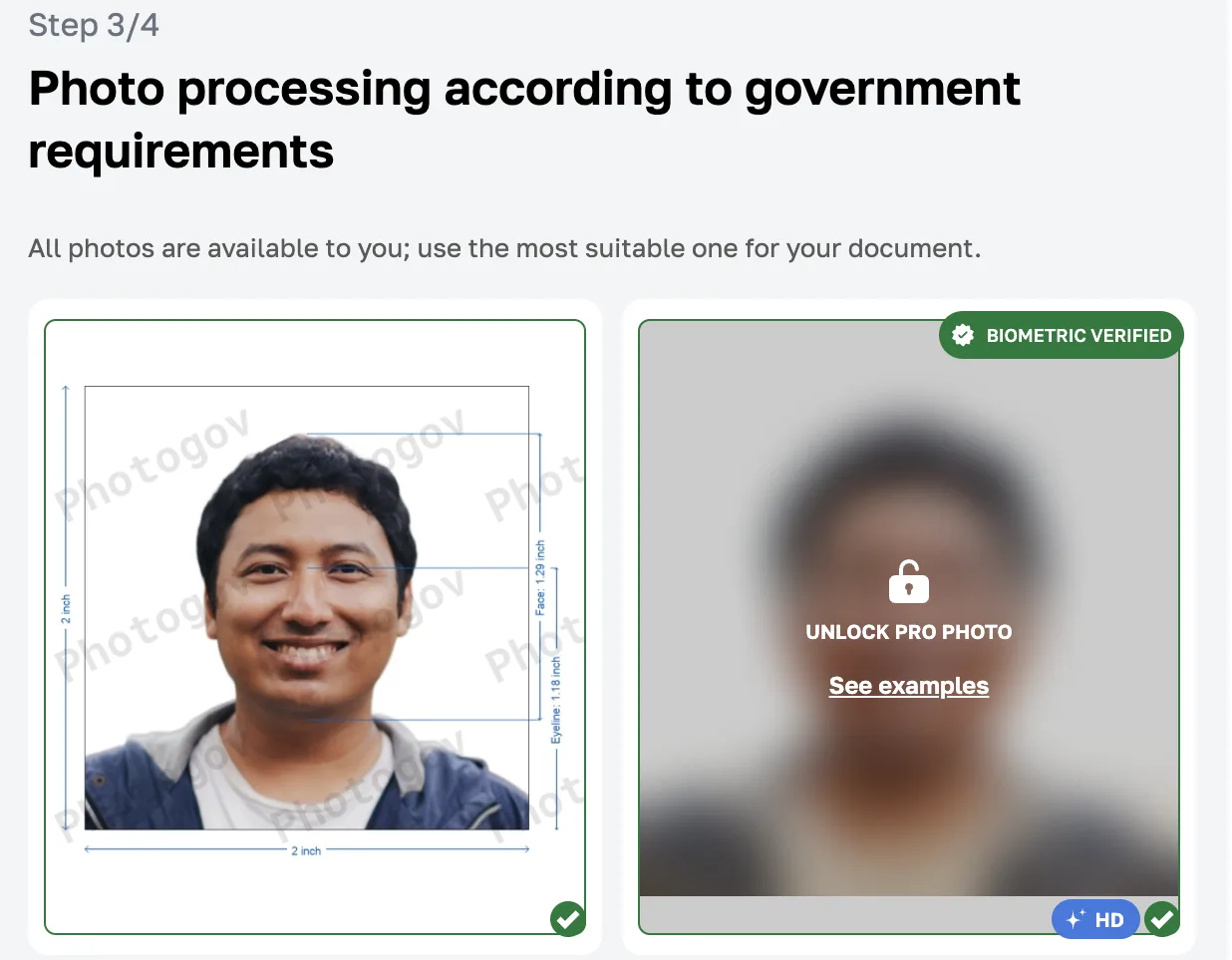
PhotoGov gave the clean photo "Meets requirements: Yes" and "Biometric Verification 100%". It gave the smile with teeth the same "Yes", while its own instructions say "A neutral facial expression and closed mouth is required". On the glasses photo its free crop said "No (not enough face or body area)" and its three paid Pro versions said "Suitable". It offers "Two free ID photos per day".
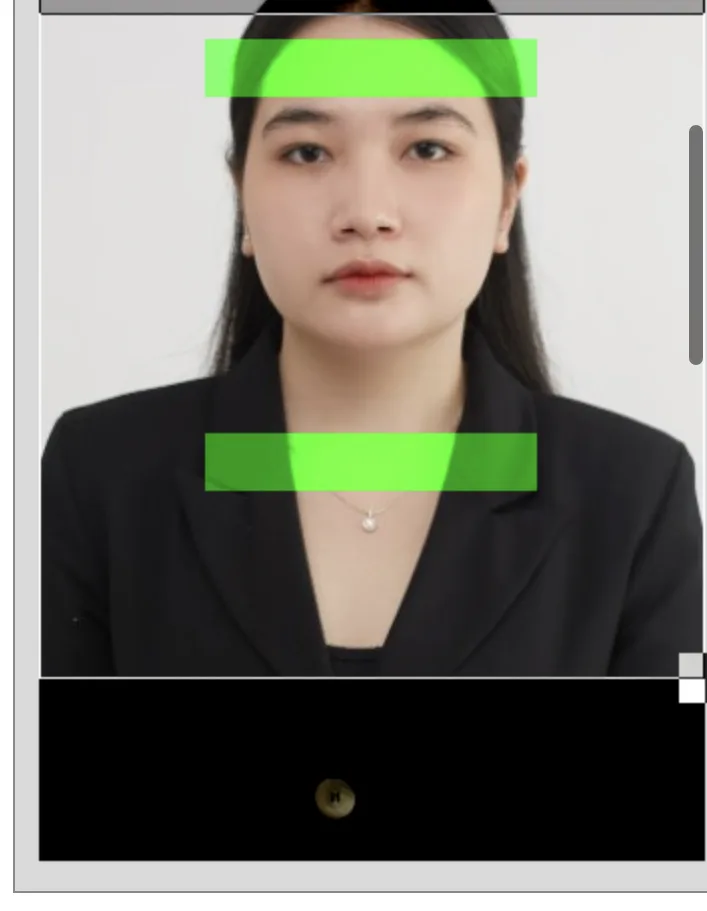
123PassportPhoto puts a crop box with crown and chin bars on the photo for you. On ours the chin bar sat a little below the chin. Then you'll get six "Enhancement" versions and a 4x6 sheet marked "Preview". Its tips say "do not open mouth" and "No glasses" but nothing on the page checks either of them. The digital photo was €8.95 through PayPal. Its privacy page says uploads are "deleted automatically by the system within 1 hour".
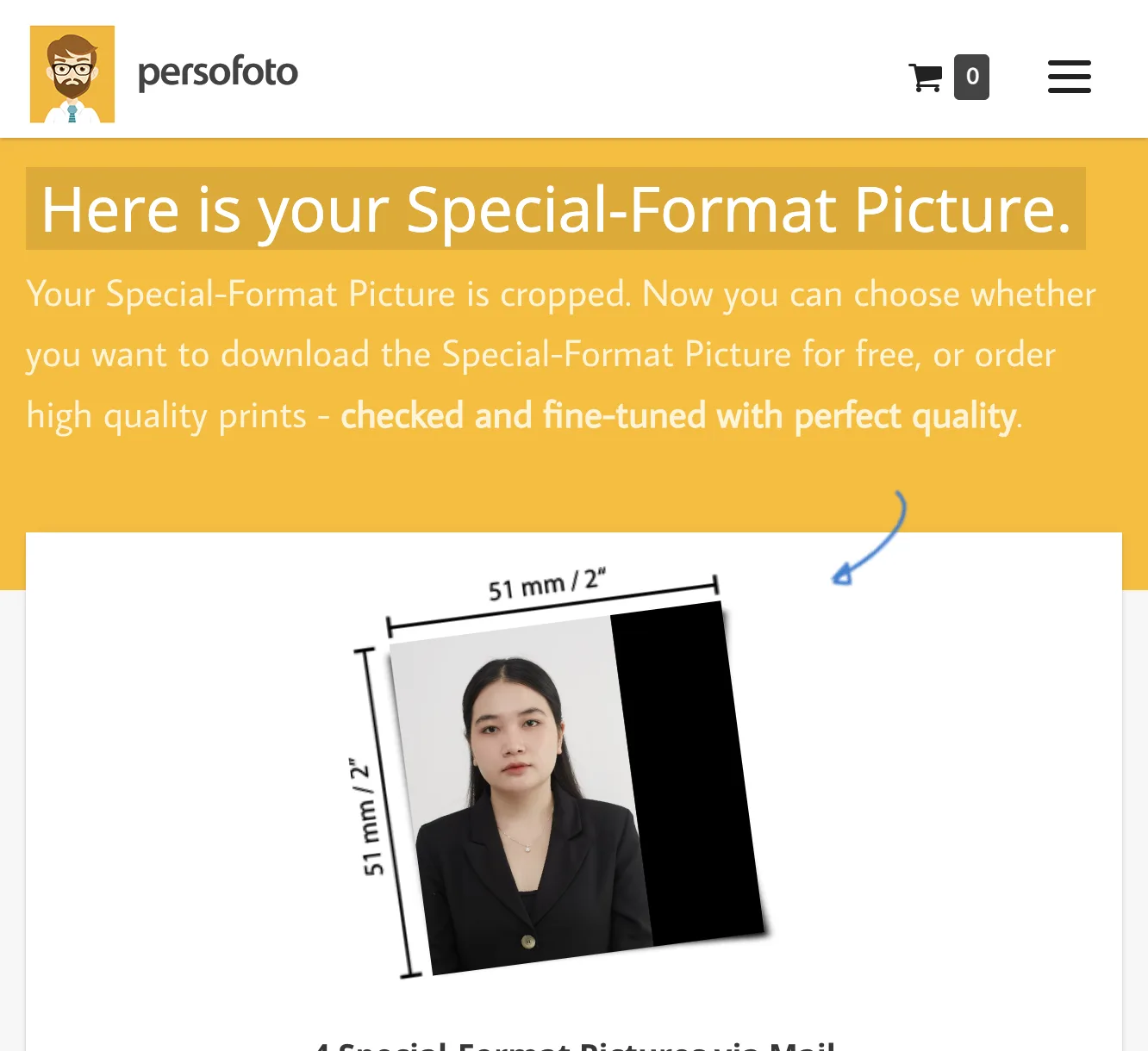
Persofoto keeps its US 2x2 template on the visa photo page, because its passport page starts on the UK size. You fit the photo under a face outline by hand. We pressed Next and then Complete without fitting it. Out came a 2x2 picture with a black strip down one side and a head visibly smaller than the outline. There wasn't a warning. The free download is labeled "No Compliance-check". The check comes with "4 Special-Format Pictures via Mail" for GBP 7.95.
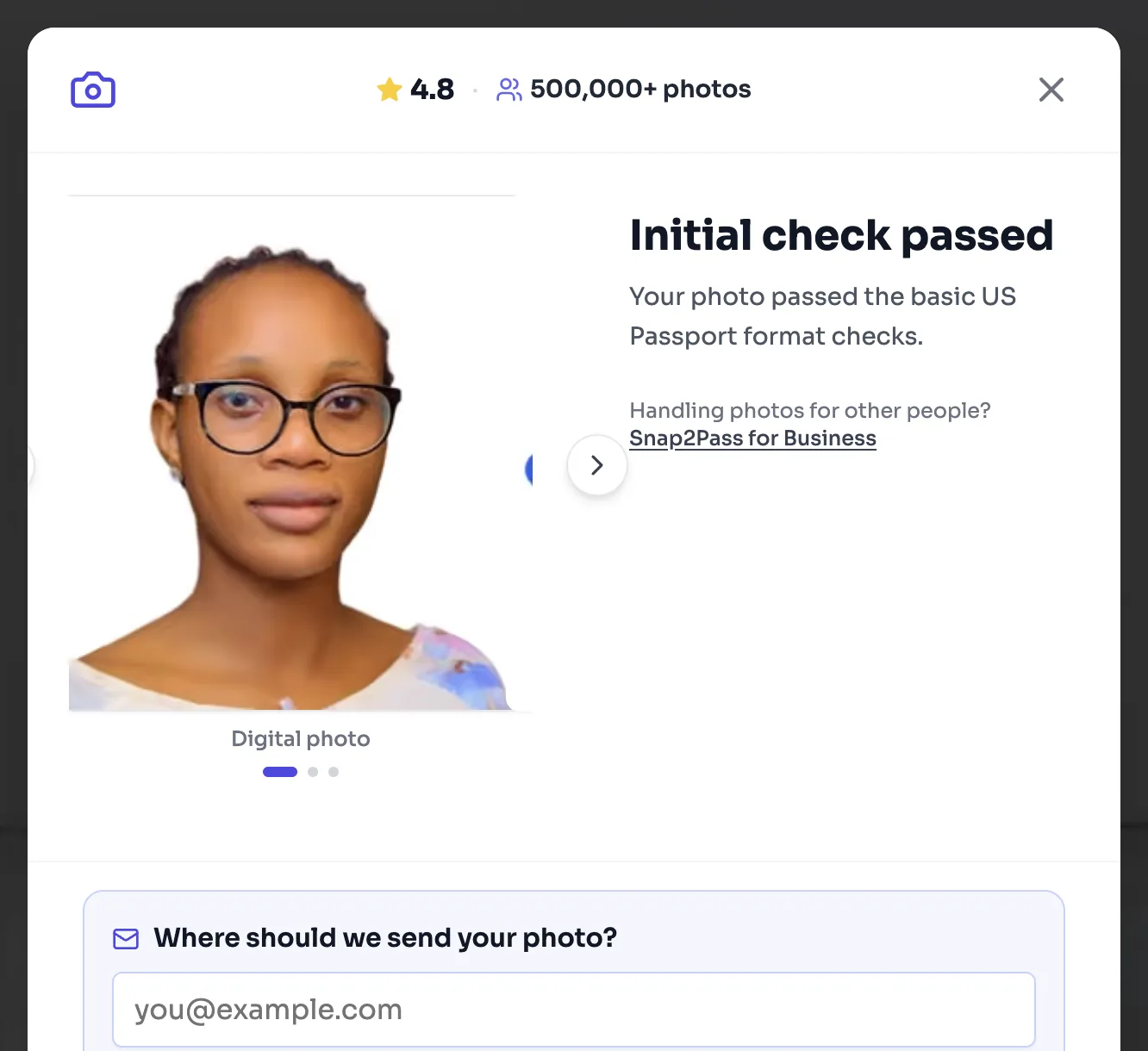
Snap2Pass said "Initial check passed" on all four photos. Its own spec box lists "Eye glasses" under "Not permitted", yet it passed our glasses photo anyway. It ticked "Head sized to spec: Passed" before its crop step had even finished, while the page was still processing the photo. It won't show a price until you give it an email. We didn't.
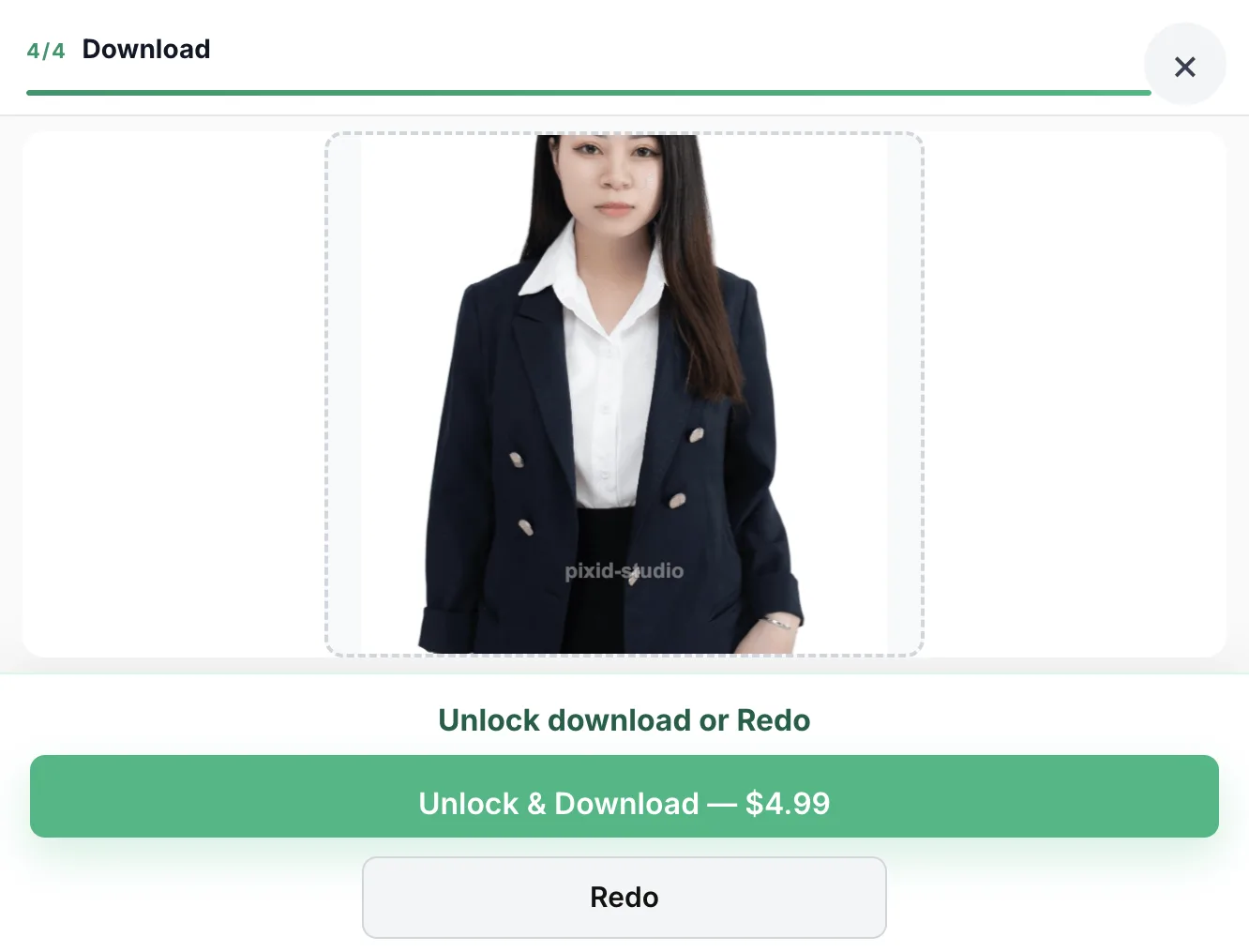
PixID shows no check result before you pay. Its starting frame cut off the top of the head on our clean photo. On the too-far photo the output was mostly jacket, with the top of the head cut off as well. The page still offered it for $4.99 without a warning. There wasn't one for the glasses or the teeth either. Its privacy page says the photo is processed in your browser, while its terms describe cloud processing and a note on its homepage lists "server AI vision".
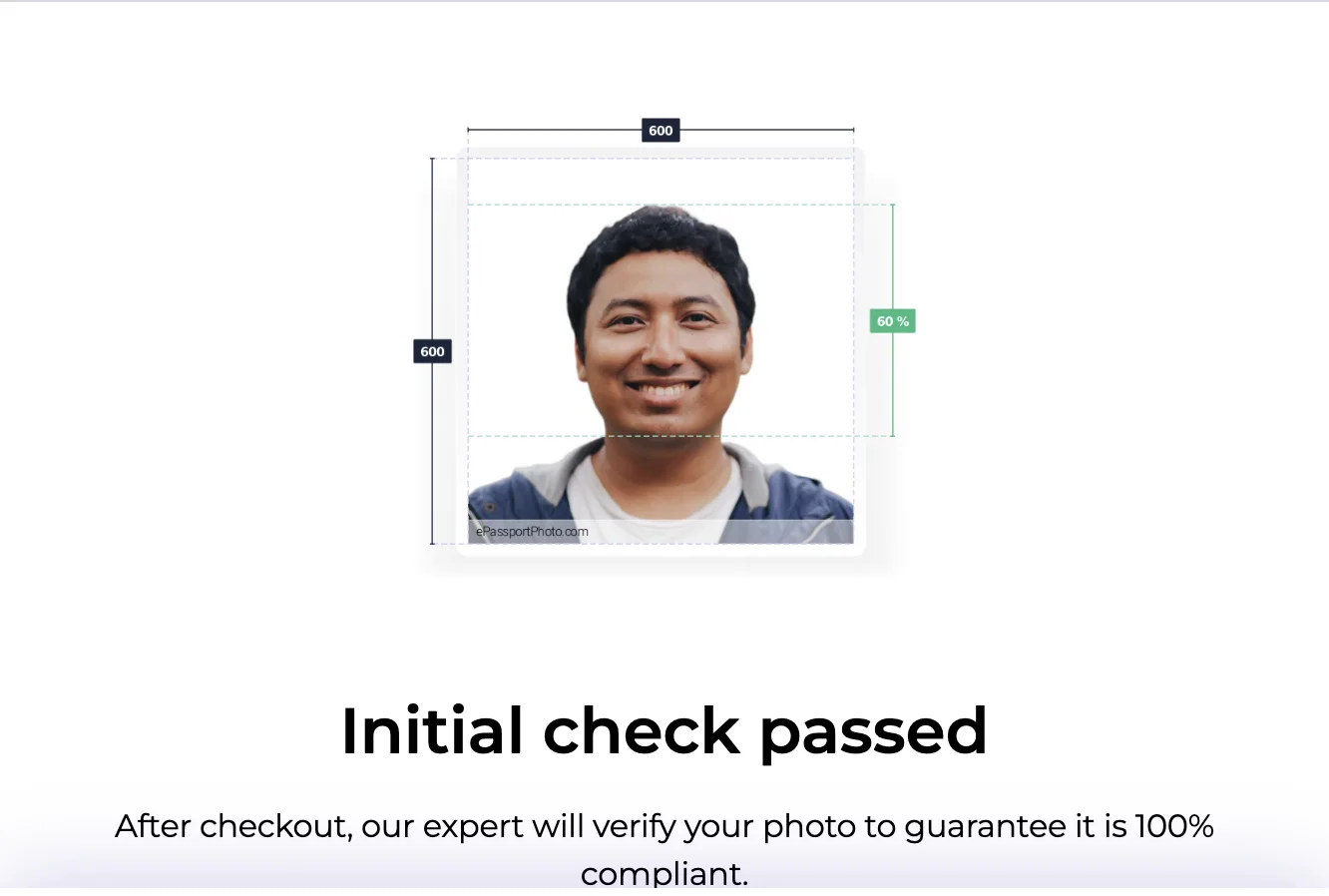
ePassportPhoto showed the same six checks and wording as PhotoAiD, down to the line "After checkout, our expert will verify your photo". Its terms name the operator Biometric Photo International Sp. z o.o. in Warsaw. Its home page sent us to the UK version, so we used its digital passport photo page for the US. It passed the toothy smile.
OpenPhotoId is free and runs on your device. It showed 11 measured checks. On the clean photo it said "Passes, with cautions" with a 60.6% head, a 62.1% eye line and 4.5° of tilt. The too-far photo came out at a 65.3% head with "Passes every check". There's no check for glasses or for the mouth, so it didn't say a word about either of our problem photos on those points. It's the only tool we tested that states State's 54 to 10,000 KB upload window.
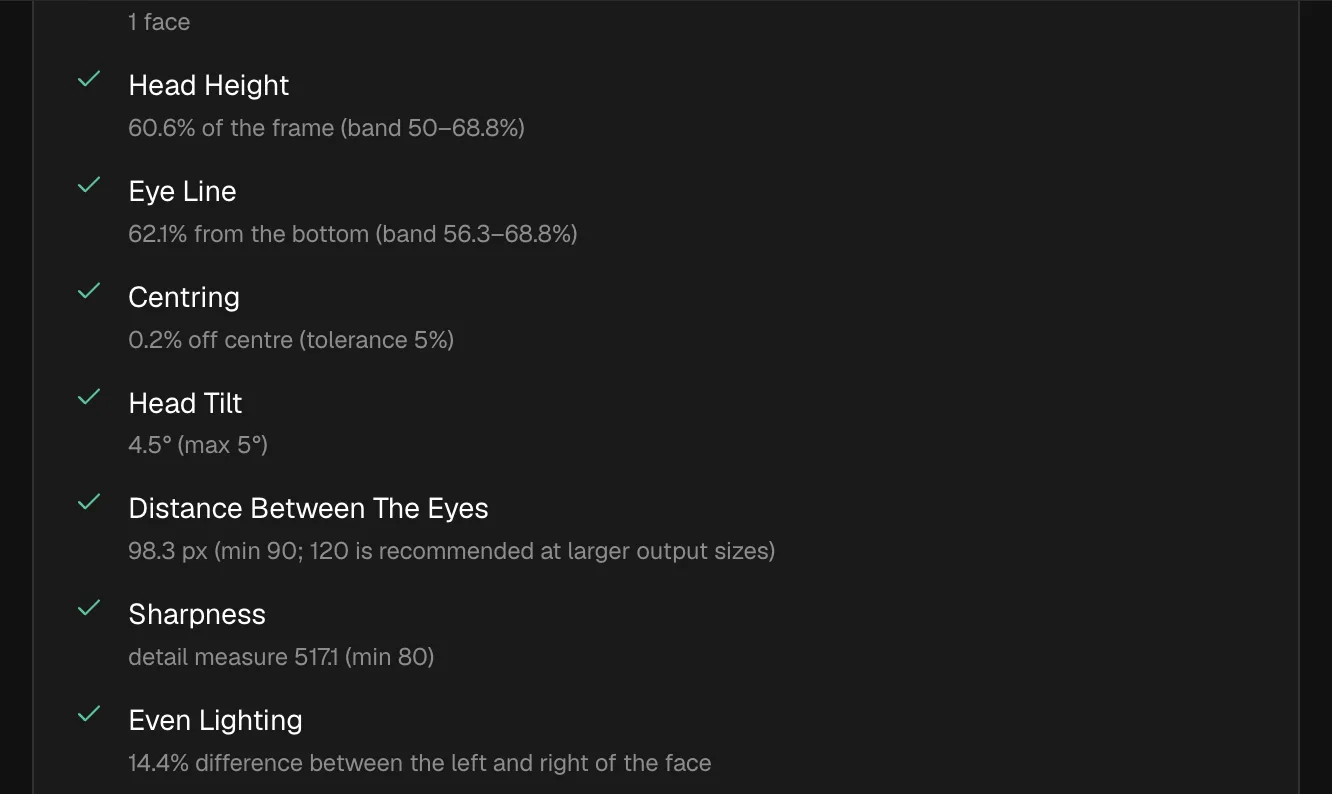
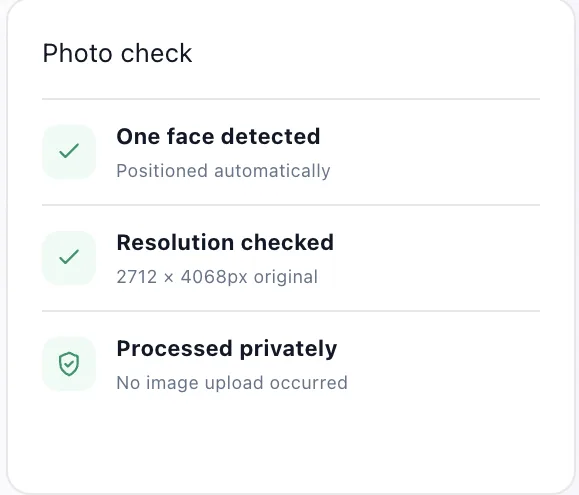
Photo Pass is free and says "No image upload occurred". It checks two things: that there's one face and that the resolution is enough. It framed the too-far photo correctly. For the US it locks its edits with the line "U.S. passport rules require the original, unedited photo" unless you tick a box to allow them anyway. It has no glasses or expression check, so we didn't run those two photos. It opened with an ad-consent dialog listing 210 partners.
Which passport photo maker should you use?
Pick by the job you've got, because none of them checks everything. Here's how we'd choose after this test.
You're renewing online. State crops the photo in its own tool, so what you'll need from a website is a check. The useful kind shows measured values. Two of the 12 do that for free on your device: LeanImg and OpenPhotoId. Then upload the photo off your phone. State asks you to "Submit the original, unedited photo without filters or digital changes."
You're applying by mail and need prints. A free 4x6 sheet does the job. LeanImg's US sheet fits six 2x2 photos at 1200 x 1800 pixels and 300 DPI. Photo Pass makes a free 6x4 sheet too. The free sheet from 123PassportPhoto is a watermarked preview.
You want a person to look at it before you send it. PhotoAiD, Passport Photo Online and ePassportPhoto say an expert checks it after checkout. We didn't pay, so that part is untested here. For an online renewal a State employee reviews the photo anyway.
You don't want the photo on anybody's server. Then it's LeanImg or OpenPhotoId, because both run on your device. Photo Pass says no upload occurred.
One result we'd act on. PixID cut off the head on two of our photos and still offered the $4.99 download without a warning.
How do you print a passport photo at home?
Print a 4x6 sheet on photo paper and cut the 2x2 squares out. State says "Print your photo on matte or glossy photo-quality paper." Plain office paper is out. So are photocopies, because State also says "Do not submit photocopies or digitally scanned photos."
Size is the other thing to check. The photo is 2 x 2 inches and the head, chin to top of the head, has to measure 1 to 1 3/8 inches (25 to 35 mm). In LeanImg, pick Photo lab for a 4x6 you'll print at a photo counter. Pick Home printer on A4 and the US sheet gets a 25 mm ruler bar under the photos. Print at actual size, hold a ruler against the bar and you'll know the scale is right before you cut. Simple as that.
How we tested
We ran every tool on 2026-10-20 in a desktop browser from an EU IP address. Each page loaded the photo straight from Pexels into its own upload field, so every tool got the same file. Wherever a tool asked for a document, we picked the US passport.
The inputs were four Pexels stock photos. The clean photo and the too-far photo are by kooldark (second photo). The glasses photo is by oluwakoreimage. The smile is by noursakina. They're good portraits of people who posed for a photographer. The glasses and the smile only break passport rules. Nobody in these photos had anything to do with this test or with any tool in it.
We stayed on the free stage of every tool. We didn't buy anything or enter an email address. Tools that crop by hand got only the clean photo, to keep uploads of real people's faces to a minimum. Every screenshot above is ours, taken that day. Mobile apps were out of scope. We didn't test closed eyes, a tilted head, a crop that's too tight or shadows on the face, because none of our four photos shows them.
Can you smile in a US passport photo?
Yes, with your mouth closed. State's photos page says "You can smile in your photo. Just make sure your eyes are open and your mouth is closed." On the online renewal page it's "Use a neutral facial expression or natural smile. Avoid showing teeth." This is one you'll have to check by eye, because every tool with checks let our smile with teeth through on the US spec, LeanImg included.
Can you wear glasses in a passport photo?
Not in a US one, unless a doctor says you have to. State asks you to "include a signed note from your doctor" if you can't remove them for medical reasons. GOV.UK says "Do not wear glasses in your photo unless you have to do so." None of the 12 tools caught glasses in our test, so take them off before the photo.
Can I use a selfie for my passport photo?
Only if the phone is several feet away. State says "Position yourself several feet away from the camera". A phone propped up on a timer several feet away meets that for a US photo. For a UK online application GOV.UK says "You'll need someone to help you take a photo", so ask a friend.
Is a free passport photo maker good enough?
For framing and printing, yes. On the free stage none of the paid tools caught a problem that the free ones missed. The two that showed measured values, LeanImg and OpenPhotoId, cost nothing. What you're paying for is a human check after checkout. That's the one part we didn't test.