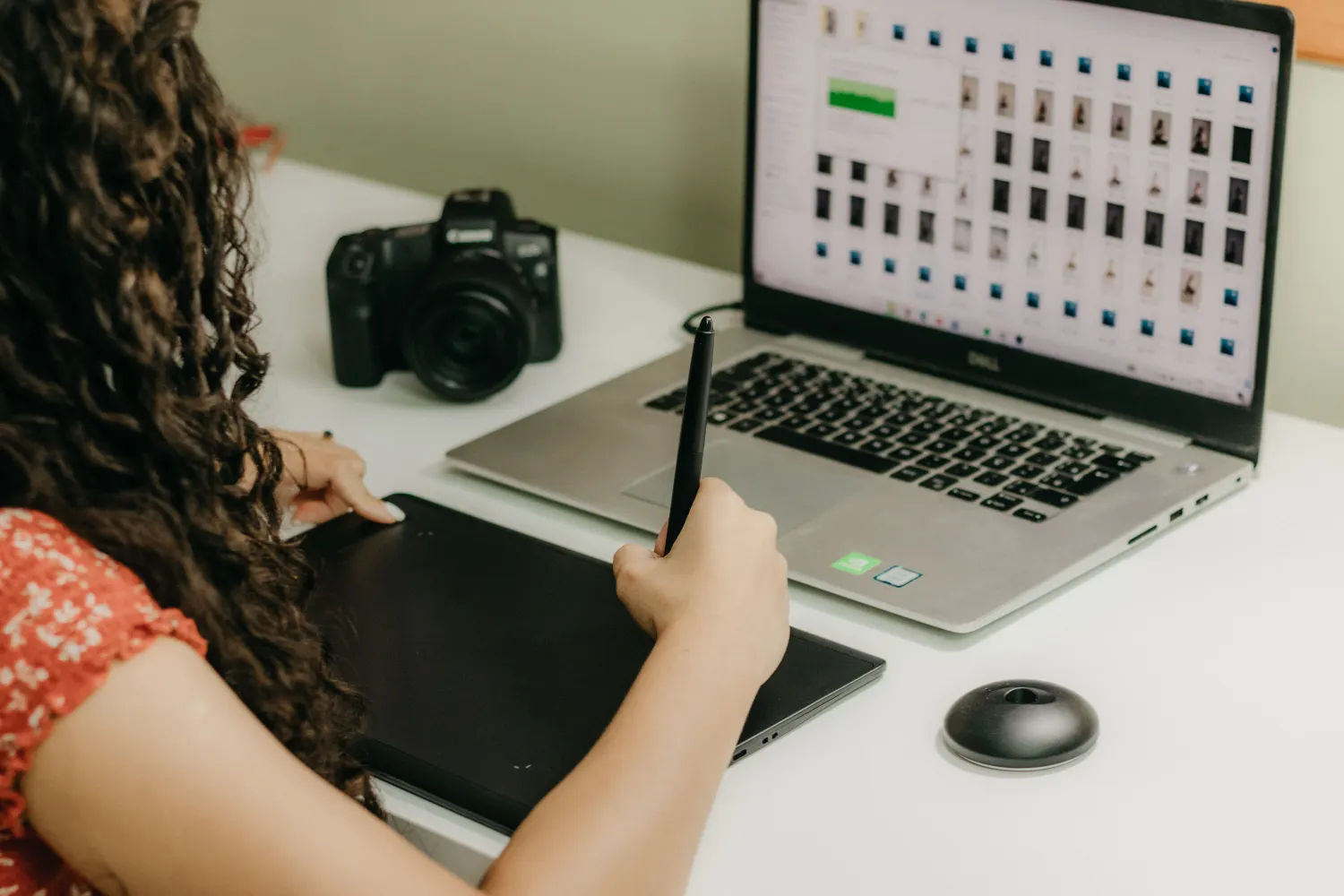
Hero image size in pixels for desktop and mobile
A full-width hero image should be 1920 x 1080 px (16:9), with a 2560 x 1440 copy for large screens and a 3:4 portrait crop 1206 to 1320 px wide for phones.
13 λεπτά ανάγνωσης
Σε αυτή τη σελίδα

Long story short, plan two crops: a 16:9 desktop image 1920 px wide (with a 2560 px version for big monitors) and a 3:4 phone crop 1206 to 1320 px wide. A newer format isn't automatically lighter. On our busy coastline photo neither WebP nor AVIF came out smaller than the JPEG without also scoring lower; on smooth dunes AVIF was 38% smaller at the same score.
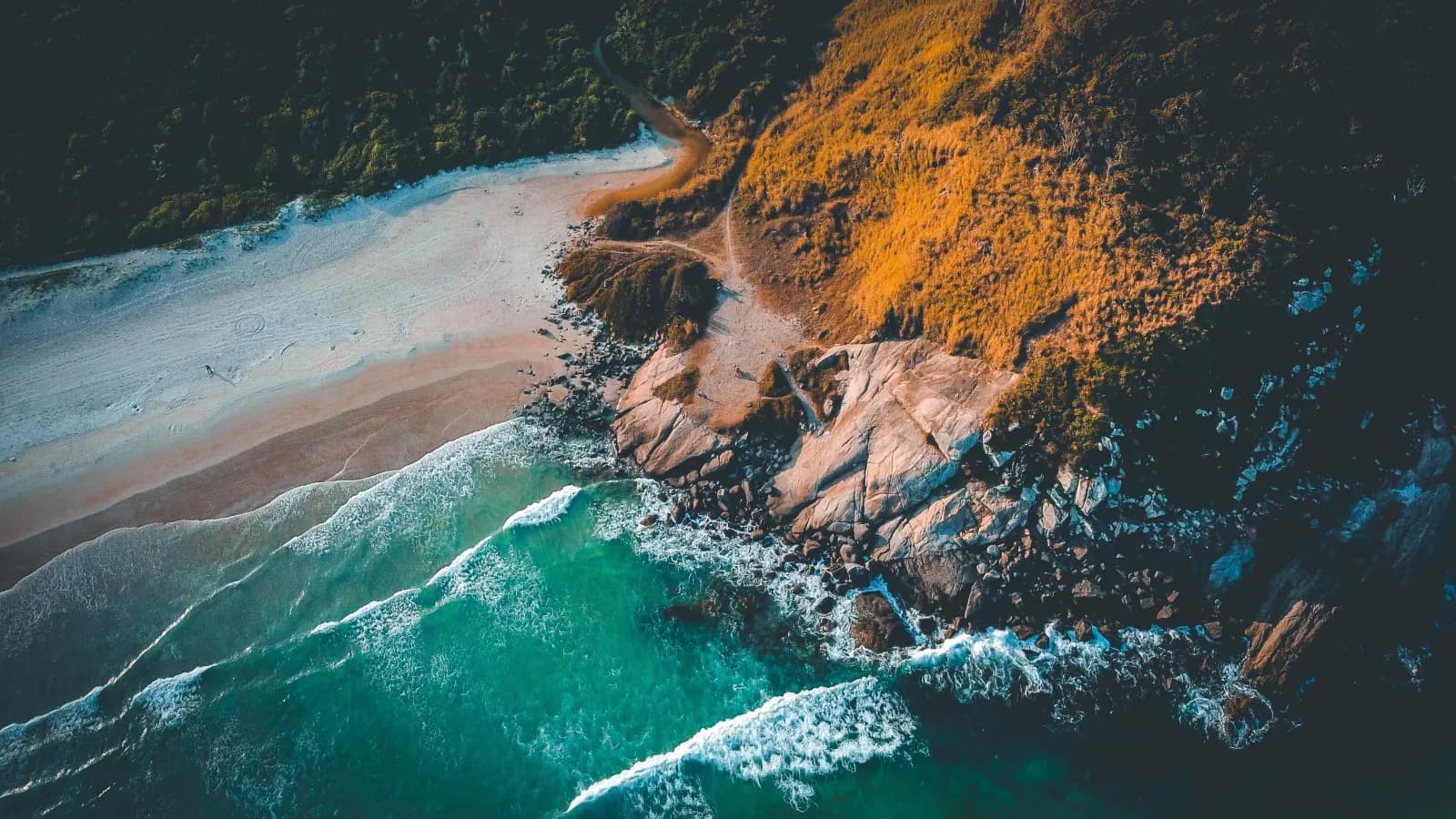
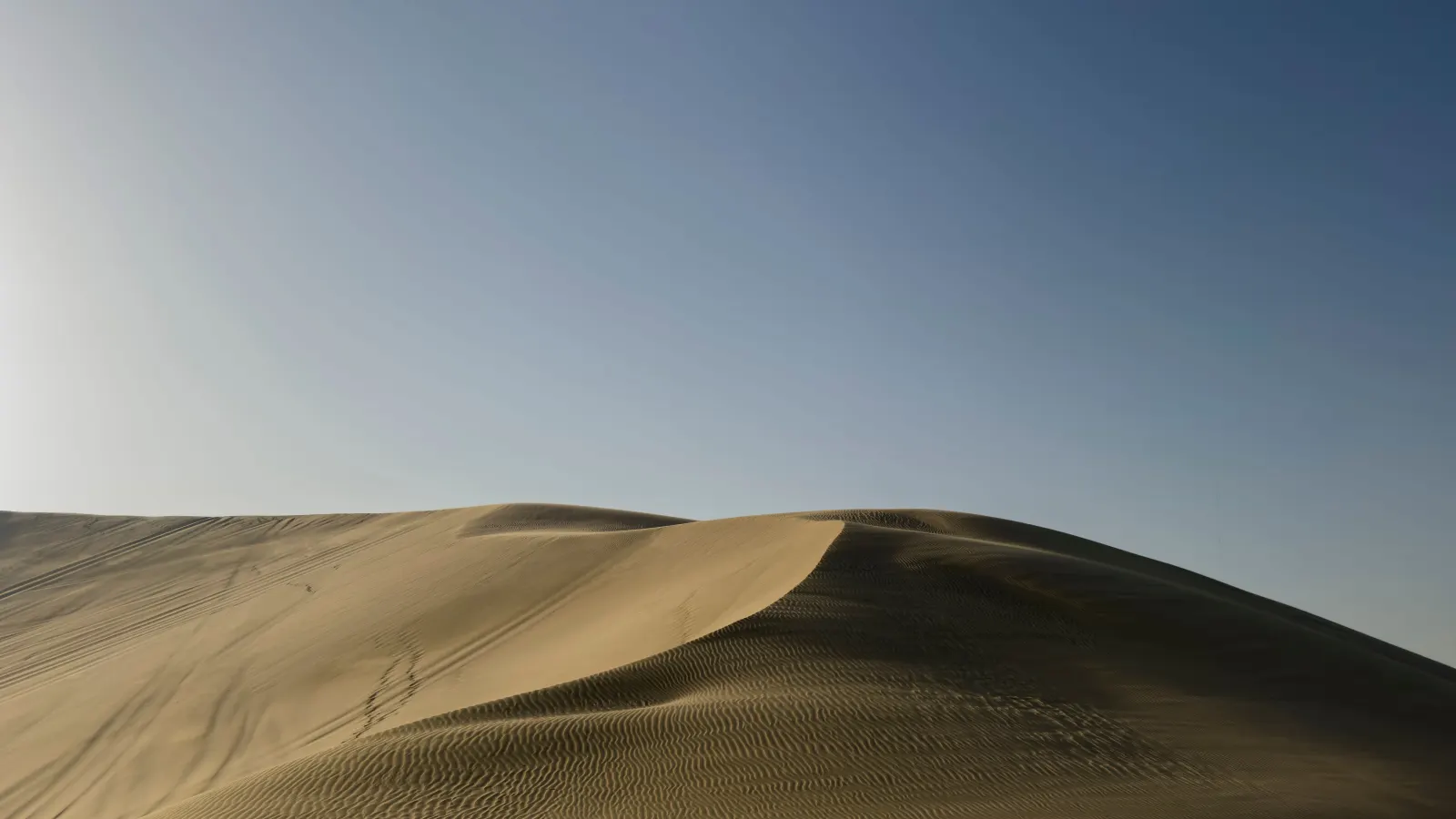
We ran two free Pexels photos, a busy rocky coastline (12039507) and smooth dunes under a clear sky (29147668), through our cropper, resizer and compressor. The score is SSIM, a 0 to 1 measure of how close a file looks to a reference. Our reference was the quality 90 JPEG the resizer saved, which may favor the JPEG copies, so we're treating close scores as ties. JPEG means the compressor's slider at 80, its default; WebP sat at 70 and AVIF at 60 unless the text or a table says otherwise. KB is bytes divided by 1024.
What size should a hero image be?
Make a full-width desktop hero 1920 x 1080 pixels (16:9) and keep a 2560 x 1440 copy for larger screens. Why 1920 x 1080? Because it's the most common US desktop screen, 27.13% in September 2026 according to StatCounter's US desktop screen figures (checked in October 2026). We didn't find a Google, MDN or Chrome page that sets a hero size, so both widths are our reading of that data.
On a builder, upload the master width it asks for (next section), and most builders make the smaller copies. StatCounter's next two, 1536 x 864 (7.25%) and 1366 x 768 (6.76%), fit inside a 1920 image. By the way, 2560 x 1440 makes the top five, at 4.1%.
Sharp screens want more. MDN's devicePixelRatio reference (checked in October 2026) puts the ratio at 2 on HiDPI screens, so a 1920 px window there could use 3840 px. A 2560 copy covers part of that gap, but it costs bytes: our busy 2560 JPEG was 505.9 KB, against 281.0 KB at 1920.
With code access, list 1440, 1920 and 2560 copies in srcset (the attribute that offers the browser several files) with w descriptors giving their widths, and set sizes to say how wide the image shows, as MDN's responsive images guide describes (checked in October 2026). Each screen then downloads only the copy it needs. That's the whole idea.
| Layout | Pixels | Ratio | Busy photo | Smooth photo |
|---|---|---|---|---|
| Full-width desktop | 1920 x 1080 | 16:9 | 281.0 KB | 64.9 KB |
| Large screens, or the upload master | 2560 x 1440 | 16:9 | 505.9 KB | 108.0 KB |
| Smaller srcset step | 1440 x 810 | 16:9 | 161.7 KB | 40.5 KB |
| Short banner | 1920 x 640 | 3:1 | not measured | not measured |
| Phone (iPhone 17 and 18 Pro width) | 1206 x 1608 | 3:4 | 335.5 KB | 87.5 KB |
| Phone (iPhone 18 Pro Max width) | 1320 x 1760 | 3:4 | 390.9 KB | 103.0 KB |
| Phone, smaller srcset step | 828 x 1104 | 3:4 | 158.1 KB | 44.6 KB |
What hero image size do Shopify, Squarespace, WordPress and Wix need?
Shopify and WordPress take one 2560 x 1440 master (16:9), cropped to the section's shape. WordPress keeps uploads up to 2560 px and lists srcset sizes up to 2048 px by default. Shopify's theme images page sets no hero size, since that's down to your theme, so 2560 x 1440 (3.7 MP) is our judgment, and it's well inside that page's 20 MP and 20 MB line. We checked all three pages in October 2026.
Squarespace's guide to formatting images for the web (checked in October 2026) calls 2500 px ideal and recommends 500 KB or less (2500 x 1406 in a 16:9 section). Our busy 2560 x 1440 copy came to 505.9 KB at slider 80, so it's just over the line. We didn't measure 2500, so check the size after export. If it's over, lower the slider in our compressor's Manual mode or set Target size to 500 KB, which can also shrink the pixels, so check the width you'll get back.
On Wix, use the minimum for your element (table below). We didn't find an official pixel size for Shopify's Dawn or Horizon themes, or for Elementor or Divi, so crop to your theme's section shape (the next section shows how). Hand-coded? Use the srcset ladder above.
| Platform | What its help center says | Source |
|---|---|---|
| Shopify | No fixed hero size; it depends on the theme. Sections crop images to fit. An "Adapt to first image" height setting and focal points. The same page gives both 20 MP or 20 MB and 5000 x 5000 or 25 MP, so stay under 20 MB and 20 MP. | Shopify theme images |
| Squarespace | 2500 px is ideal; under 1500 px may look blurry. Recommends 500 KB or less, with a 20 MB limit. Section backgrounds 1500 to 2500 px wide. | Squarespace image formatting and Squarespace section backgrounds |
| WordPress | Keeps uploads up to 2560 px and scales larger ones. Lists srcset sizes up to 2048 px by default. | WordPress big image threshold and WordPress responsive images |
| Wix | Strip backgrounds at least 1920 x 1080. Backgrounds at least 3000 x 3000. General minimum 2560 x 1440. Converts to AVIF on the live site. 50 MB upload limit for images. | Wix strip backgrounds, Wix supported media and Wix media performance |
| Webflow | 4 MB upload limit. No responsive copies for background images. | Webflow responsive images |
What aspect ratio should a hero image be?
If the top or bottom of your photo gets cut off on desktop, it's the theme's box doing it, since that box sets the height.
On Shopify, "Adapt to first image" lets the photo set the section height, per its theme images page (checked in October 2026). Elsewhere, right-click the hero, choose Inspect, read the box's width and height and crop to that shape, half-height sections included.
The common desktop screens above are 16:9. Browser toolbars take part of that height, so by our arithmetic a box that fills the window comes out wider than 16:9. Our short banner row uses 3:1, our own pick. For a full-width desktop hero 16:9 is the closer match, and 4:3 only suits a box that's near that shape. A 16:9 crop of our 4:3 dunes original kept 4536 of its 6048 px height. Check the arithmetic on any size a guide gives you: 1600 x 500 is 3.2:1, a banner shape. At 16:9, 1600 px wide is 1600 x 900.
On a hand-coded site it's your box, so pick the ratio first and crop to it.
| Ratio | Pixel pairs |
|---|---|
| 16:9 | 1920 x 1080, 2560 x 1440, 2500 x 1406, 1600 x 900 |
| 3:1 | 1920 x 640, 2560 x 853 |
| 4:3 | 1920 x 1440, 8064 x 6048 |
| 3:4 (phone) | 1206 x 1608, 1320 x 1760, 828 x 1104 |
How do you crop and resize a hero image?
Keep in mind the order: you decide the width before the shape, but the Tools run crop, then resize, then compress. Our cropper lets you drag the frame onto an off-center subject. Its ratio buttons are Freeform, 1:1, 4:3, 3:2, 16:9, 9:16, 3:4, 2:3 and Custom, which takes whole numbers from 1 to 100 a side (that's enough for 3:1 or your box). It won't take files over 10 MB, so resize a bigger original first.
In the resizer, choose By Pixels and type the exact width with Maintain aspect ratio on. It'll keep the input format (AVIF and GIF come out as PNG), at quality 90 by default.
Every step re-saves. The cropper writes JPEG at quality 92, so our busy photo's 16:9 crop grew from 1,491.5 KB to 1,815.7 KB (our test of whether cropping reduces file size explains why). That's three lossy saves: 92, 90 and slider 80. Rule of thumb: work from each step's output and compress once, at the very end. All three Tools run in your browser, so the photo never leaves your computer.
| Step | Pixels | Size |
|---|---|---|
| Original | 3800 x 2250 | 1,491.5 KB |
| /crop-image 16:9 | 3800 x 2138 | 1,815.7 KB |
| /resize-image 1920, quality 90 | 1920 x 1080 | 675.1 KB |
| /compress-image Manual, JPEG, slider 80 | 1920 x 1080 | 281.0 KB |
What size should a hero image be on mobile?
If the subject's cut off on phones, check where it sits. A 3:4 crop of our 3800 x 2250 coastline kept only 1688 px of its width.
Apple's iPhone 17 specs and iPhone 18 Pro specs (both checked in October 2026) give the iPhone 17 and 18 Pro 2622 x 1206 pixels (they're 1206 px wide) and the 18 Pro Max 2868 x 1320. That's 1206 x 1608 or 1320 x 1760 for a full-width 3:4 crop. Making one phone file? Pick 1320; it'll cover both.
Our smaller srcset step, 828 x 1104, is 414 x 2. It matches StatCounter's top US mobile screen size, 414 x 896 (19.6% in September 2026, checked in October 2026), only if those are CSS pixels on a 2x screen, and StatCounter doesn't say.
We cropped to 3:4, but we didn't find an official source that gives a mobile hero ratio, so match the box your theme shows on phones.
On Shopify, set a focal point so the theme's crop keeps the subject, and use your theme's mobile image setting if it has one. In code, a picture element, which lets the browser pick between files, serves the phone crop through a media condition (a screen-width rule); MDN calls this art direction (checked in October 2026). Then crop to 3:4 in the cropper and type 1320 (or 1206) in the resizer.
Should a hero image be JPG, WebP or AVIF?
A heavy hero file makes WebP or AVIF look like the obvious fix, but our two photos gave opposite answers. Shopify's theme images page says to use JPEG for slideshows, and Wix converts to AVIF on the live site by itself, per its supported media page (both checked in October 2026). Upload a good JPEG to either.
The same slider number doesn't give the same look. AVIF at slider 80 scored 0.989 on the busy photo and weighed 524.7 KB, against 281.0 KB at 0.959 for the JPEG. Why? Because our compressor scales its JPEG slider by the quality it estimates from a JPEG source and takes the WebP and AVIF slider literally.
On the busy photo, WebP 70 was 10% larger than the JPEG at about the same score (0.957). AVIF 55 scored higher (0.964) and was 13% larger, and AVIF 50 was 10% smaller at 0.950. We didn't measure in between.
On the smooth photo, AVIF 60 was 38% smaller at the same score (0.991) and AVIF 50 was 63% smaller at a slightly lower 0.988. WebP 80 was 3% smaller at about the same score (0.990).
AVIF against WebP: on the smooth photo AVIF 60 was 36% smaller than WebP 80 at about the same score, and on the busy photo there's no matched pair (AVIF 55 was 3% larger than WebP 70 and scored higher).
There's another lever as well: width. Cutting 2560 to 1920 saved 43.1 KB on the smooth photo, against 24.7 KB for AVIF 60 at the same score. On the busy photo it saved 224.9 KB, and every format setting smaller than that JPEG scored lower (WebP 60 scored 0.951 and AVIF 50 0.950, against the JPEG's 0.959).
Our WebP vs JPG guide recommends WebP for photographs from file sizes on a different photo (texture.jpg), with no quality score. This run matched SSIM scores, and our two photos disagree, so WebP's edge depends on the photo.
caniuse, an independent tracker, puts AVIF support at 96.35% of global users and WebP at 97.18%. In code, a picture element lists one source per newer format with a type attribute naming it, so the browser skips one it can't show and falls back to the JPEG in the img's src. Google Search's image guidelines say to always keep that fallback, and MDN's picture element reference shows the pattern (all checked in October 2026).
It's an easy test to run. In the compressor's Manual mode, save your hero as JPEG at slider 80, then pick AVIF (or WebP) in Output Format and lower the slider until that file's about the JPEG's size. Open both at full size and keep the better one. Target size can't do this, since it keeps the source format. If the newer format wins, the converter handles a batch, and its Quality option sits under Options (AVIF defaults to 50), so check one output against your test and convert from your best copy.
| Setting | Busy photo | Smooth photo |
|---|---|---|
| JPEG, slider 80 | 281.0 KB (0.959) | 64.9 KB (0.991) |
| WebP, slider 80 | 402.4 KB (0.970) | 63.0 KB (0.990) |
| WebP, slider 70 | 309.5 KB (0.957) | 46.0 KB (0.987) |
| AVIF, slider 80 | 524.7 KB (0.989) | 78.7 KB (0.995) |
| AVIF, slider 60 | 364.1 KB (0.973) | 40.2 KB (0.991) |
| AVIF, slider 55 | 318.8 KB (0.964) | not measured |
| AVIF, slider 50 | 251.8 KB (0.950) | 24.2 KB (0.988) |
How do you stop a hero image slowing down your page?
When a page is slow, it's often the hero. web.dev's guide to Largest Contentful Paint (when the biggest element appears) calls 2.5 seconds or less good, at the 75th percentile of page loads, and the HTTP Archive's 2025 Web Almanac found that element is an image on 85.3% of desktop and 76% of mobile pages (both checked in October 2026).
If your builder has a lazy-loading setting, turn it off for the hero. Webflow's responsive images page (checked in October 2026) says it doesn't make responsive copies of background images, so upload those at the width they're shown.
| Do this | Why | Source |
|---|---|---|
| Keep loading set to lazy off the hero (that attribute delays an image until you scroll near it) | web.dev says never to lazy-load your LCP image, and about 16 to 17% of pages still do. | web.dev, optimize LCP and Web Almanac 2025 |
| Set fetchpriority to high on the hero img (it asks the browser to fetch that file early), on one or two images at most | The image gets requested earlier. In one Google Flights test LCP went from 2.6 s to 1.9 s; that's a single case and promises nothing for your page. | web.dev, optimize LCP and web.dev, fetch priority |
| Give the hero img width and height, or give its box a CSS aspect-ratio | It reserves the space, so the page doesn't jump when the image arrives. 62% of mobile pages have at least one unsized image. | web.dev, optimize CLS and Web Almanac 2025 |
| For a CSS background hero, add a preload link with fetchpriority high, plus imagesrcset and imagesizes (the preload's own srcset and sizes) | web.dev says to preload a CSS-background hero, and these two attributes carry your responsive sizes onto the preload. | web.dev, fetch priority and web.dev, preload responsive images |
| For a CSS background hero on sharp screens, use image-set() | It lets the browser pick the copy that suits the screen's pixel density. | MDN, image-set() |
Questions people ask
What is a hero image?
The big image at the top of a page. Set as a CSS section background, it can still be the page's Largest Contentful Paint element, per web.dev's LCP guide (checked in October 2026), so the loading table applies either way.
How many KB should a hero image be?
It depends on the photo. At 1920 px and slider 80, our busy photo weighed 281.0 KB and the smooth one 64.9 KB. Capping it costs detail: Target size 200 KB in our compressor gave 194.7 KB at SSIM 0.934 on the busy photo, against 0.959 at slider 80. We didn't find a Google, MDN or Chrome page that sets a KB target. Squarespace's 500 KB is the only KB target in the help centers we checked; Wix only asks you to compress files over 25 MB, and the rest are upload limits (checked in October 2026).
Do I need a 4K (3840 px) hero image?
Not on WordPress or Squarespace. WordPress scales uploads above 2560 px by default and Squarespace's copies top out at 2500 px, so 3840 there mostly adds upload weight. On Shopify, 3840 x 2160 is 8.3 MP, inside both pixel limits its theme images page gives (20 MP, and 5000 x 5000 or 25 MP), and Wix asks for backgrounds of at least 3000 x 3000 (all checked in October 2026). A hand-coded site on a 2x screen could use 3840. We didn't measure it, so weigh its bytes on your own file.
Is a website banner the same as a hero image?
On your own site, usually. When we searched Google for "website banner size" in October 2026, most top results listed ad sizes such as 300 x 250 and 728 x 90, which is a different job. This article covers the hero at the top of your own pages.
Can I put text inside the hero image?
Better not. Shopify's theme images page (checked in October 2026) says not to put text in slideshow images. A 3:4 phone crop of a 16:9 hero keeps 42% of its width, so words near either edge get cut. Type the headline as page text over the image.